
How to Set Up Online Booking Platform
How to Set Up an Online Booking System
In today's fast-changing digital world, service companies are turning to automation to enhance efficiency in their operations and improve customer satisfaction. An online scheduling platform is one of the most critical digital tools that allows organizations to organize bookings, distribute resources, and facilitate communication in an organized and efficient way. A centralized system that organizes scheduling without manual support is beneficial to businesses in many industries, including healthcare, beauty, education, consulting, fitness, and professional services.
Orufy Bookings is a modern, fully-fledged solution that is able to fulfill these requirements. It allows companies to design an online scheduling system with a high level of functionality that makes it easier to access, minimizes administrative load, increases accuracy, and promotes the development of the business.
This guide contains a general map of online scheduling systems and elucidates the process of establishing your own systematic, professional scheduling set-up with Orufy Bookings.
What is an Online Booking Platform?
An Online Booking system is a web-based platform that enables clients to reserve appointments, book services, and/or control their bookings via a web-based system or application. It eliminates the use of manual scheduling, phone calls, and back-and-forth communication.
Key Benefits of having an Online Booking Platform
Efficiency and automation are the pillars of modern business. The following are the key reasons why an online scheduling platform is essential:
- 24/7 Appointment Booking
The customers are able to make bookings 24/7, either day or night, without calling or waiting until business hours.
- Reduces No-Shows
Customers are automatically reminded by email or WhatsApp messages about their appointments.
- Saves Time & Manual Work
There will be no more multiple calls or scheduling spreadsheets. Everything is automated.
- Enhances Customer Service
An easy and smooth booking experience makes your business more credible, leaving your customers satisfied.
- Efficiently manages Staff and Resources
The availability of the staff, their hours of work, and booking are easily monitored.
- Increases Revenue
Increased revenue comes with more bookings, fewer bookings that are canceled, and increased customer convenience.
Step-by-Step Process to Set Up an Online Booking Platform using Orufy Bookings
Step 1: Basic Setup
The process starts by choosing your industry and the nature of your booking system. The details will help Orufy structure your bookings page, reflecting your requirements and business.
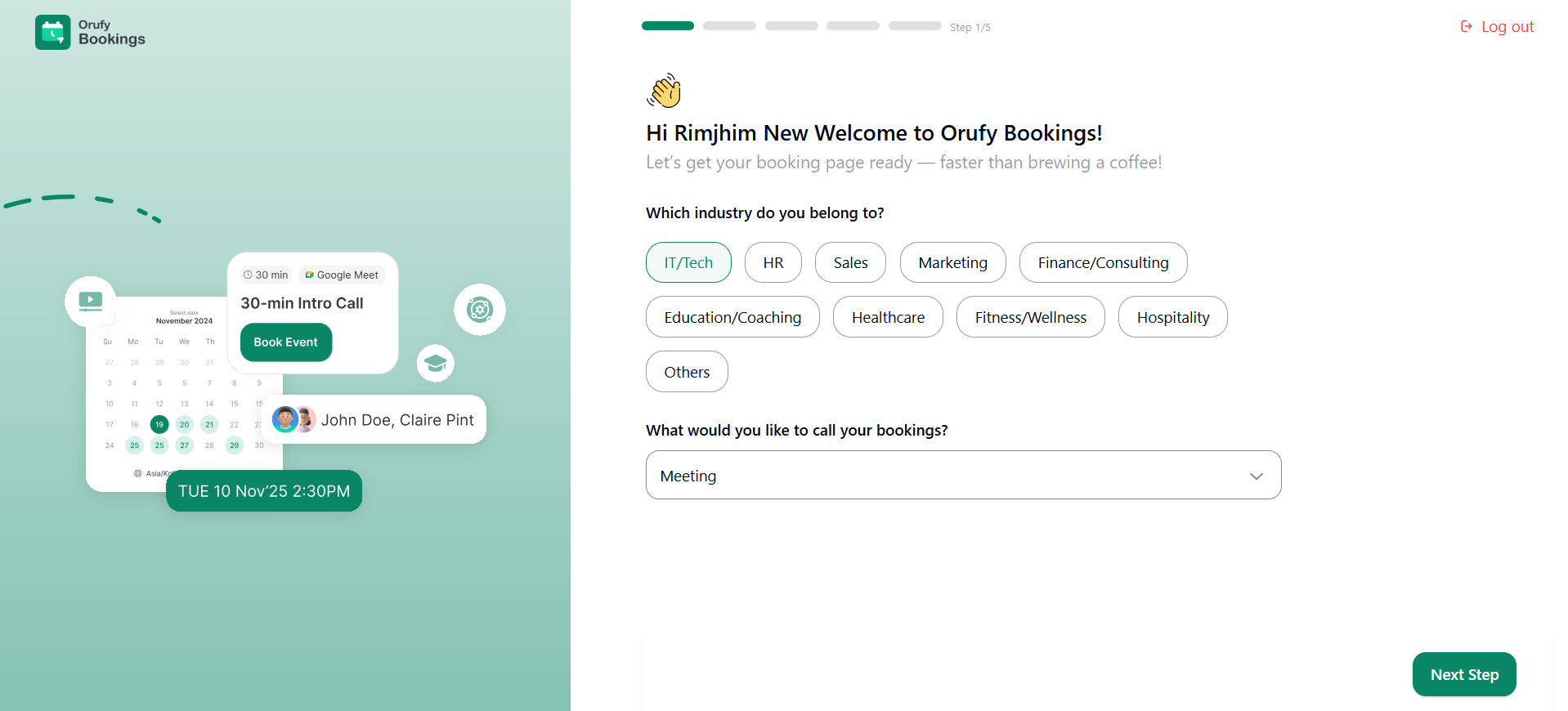
- Which Industry Do You Belong To
Select the industry reflecting your business. You can select IT/Tech, HR, Sales, Marketing, Finance/Consulting, Education/Coaching, Healthcare, Fitness/Wellness, Hospitality, and others.
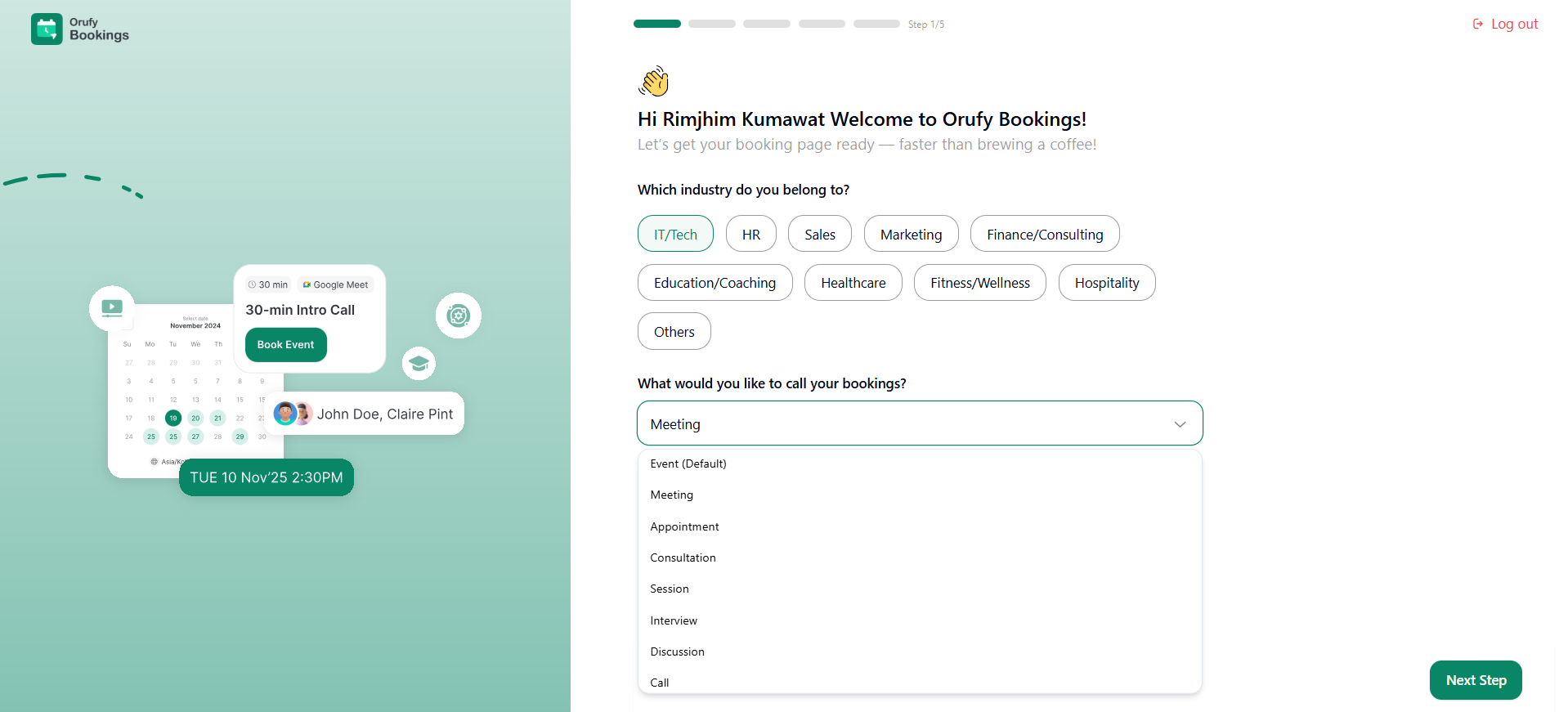
- What Would You Like to Call Your Bookings
You have to choose the type of bookings your clients will be scheduling. It includes Event (Default), Meeting, Appointment, Consultation, Session, Interview, Discussion, and Call. This label will appear on your main bookings page, setting the type for the sessions your clients are booking.
Step 2: Connect Your Calendar
Orufy Bookings allows you to integrate your preferred calendar. This step ensures the availability is always up-to-date.
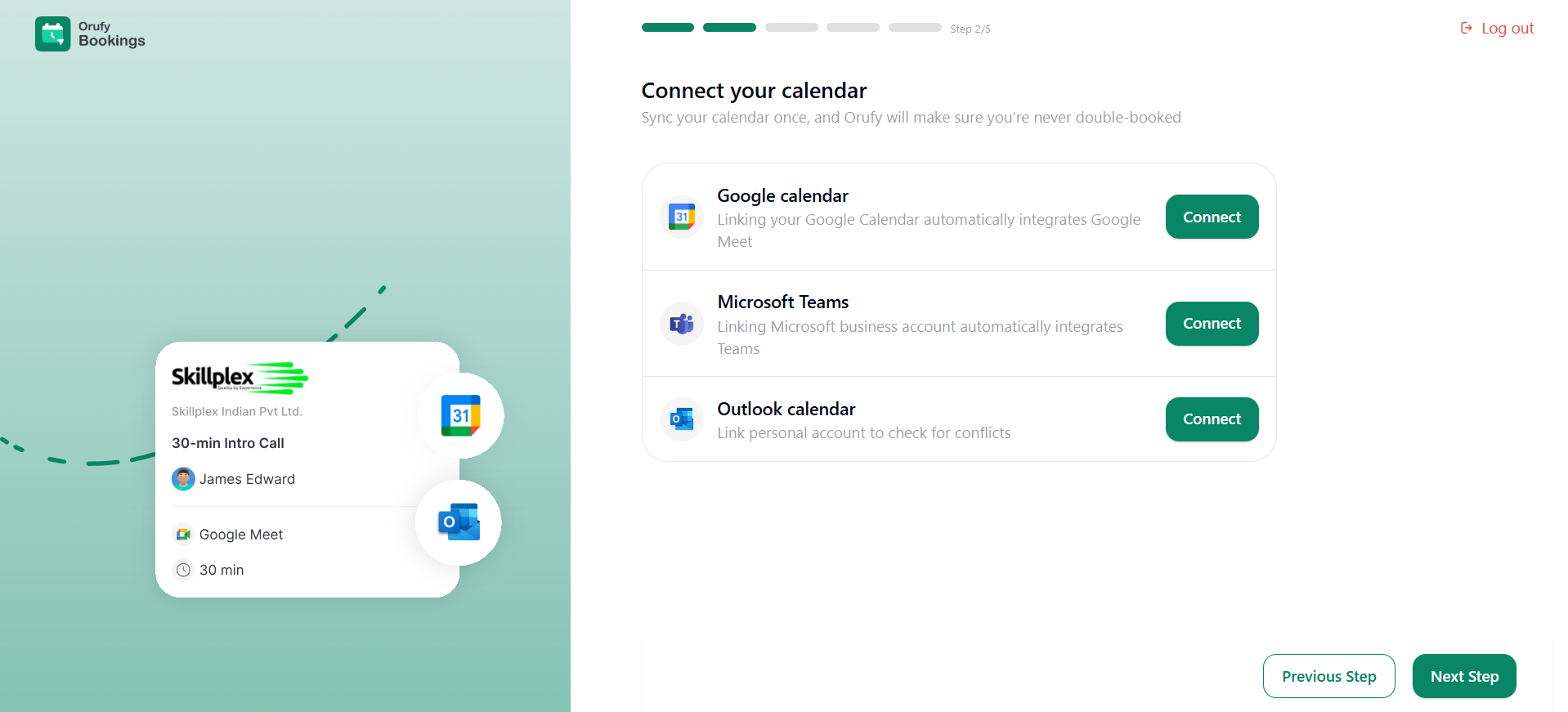
Orufy Bookings Supports:
Once you have clicked on Connect, you have to log in to your preferred calendar platform. It will ask you to allow Orufy Bookings to sync the changes to Calendar automatically.
Step 3: Set Your Availability
After connecting your preferred calendar, you have to specify the specific days and time slots when you are open for scheduling.
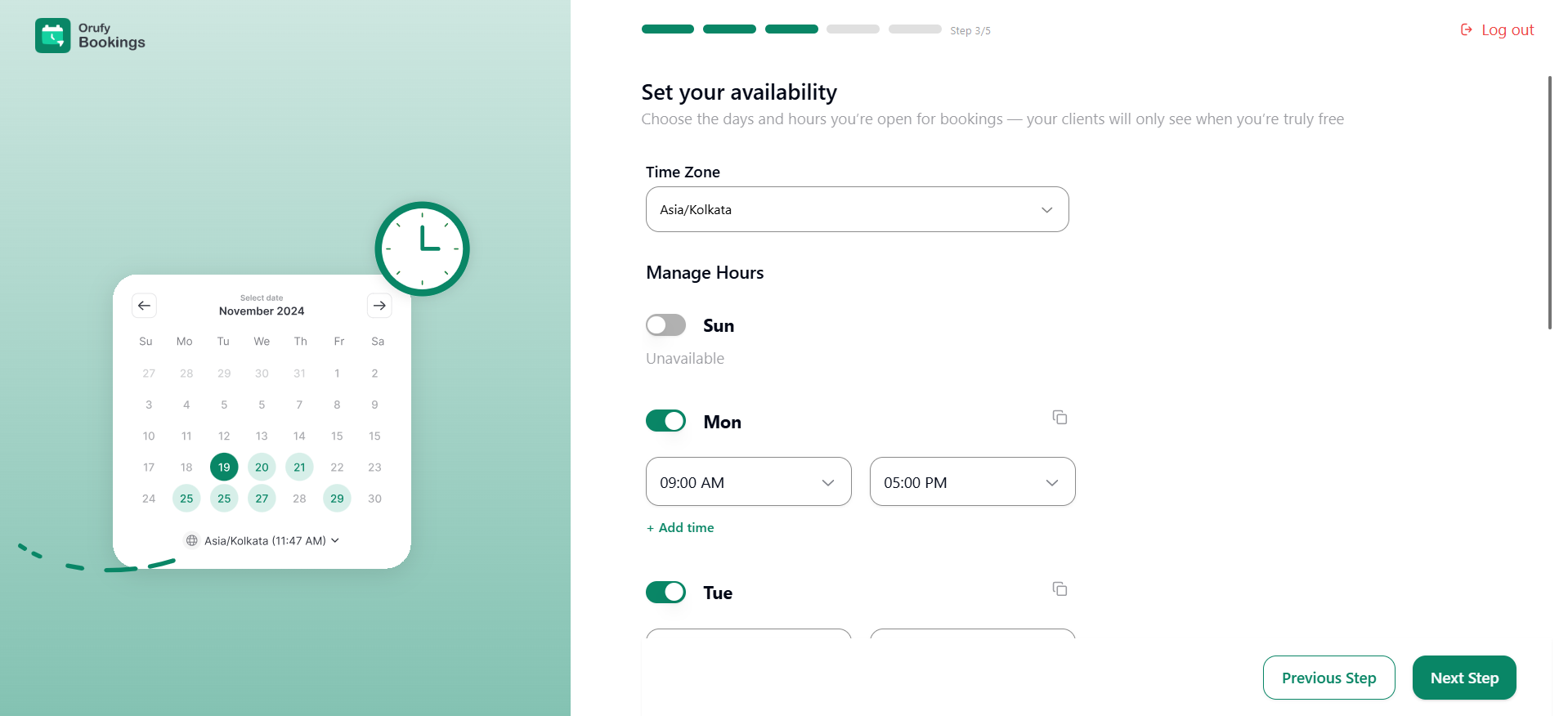
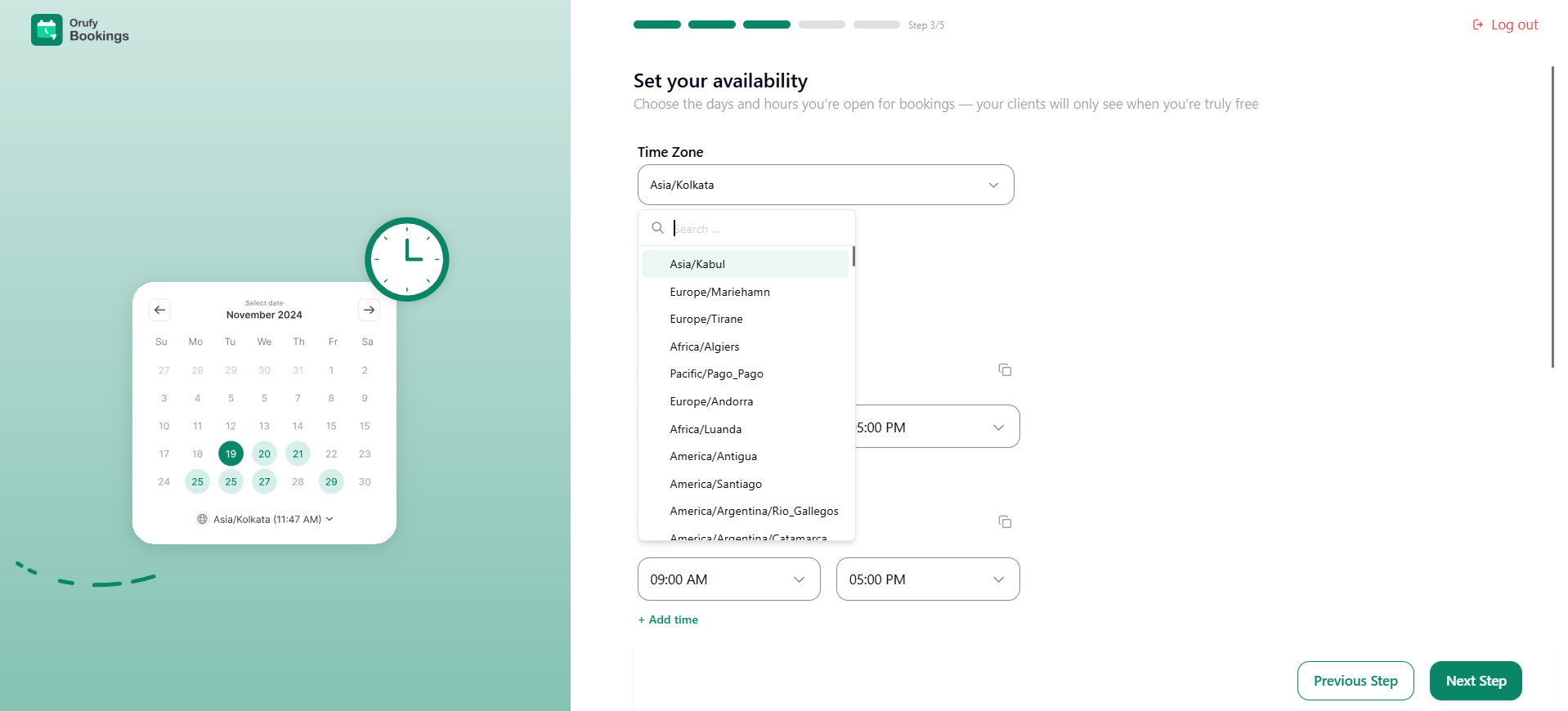
- Select Time Zone
Select your local time zone. Your clients can automatically view your availability in their respective time zones.
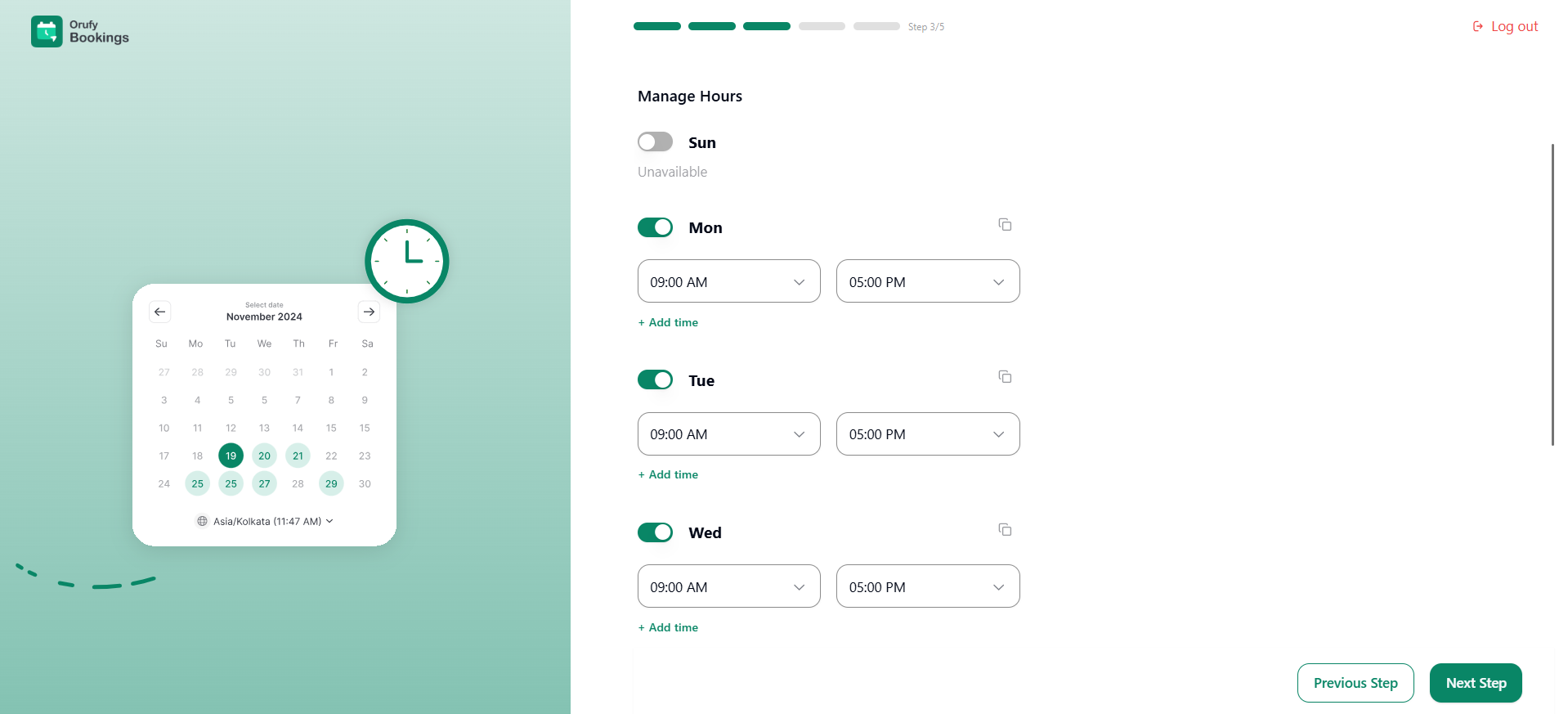
- Manage Hours
It allows you to toggle between enabling and disabling weekdays to be marked as available or not available. You can set the available hours for each day for a preferred zone. You can add multiple time slots for a single day of the week.
Step 4: Set up Your First Event
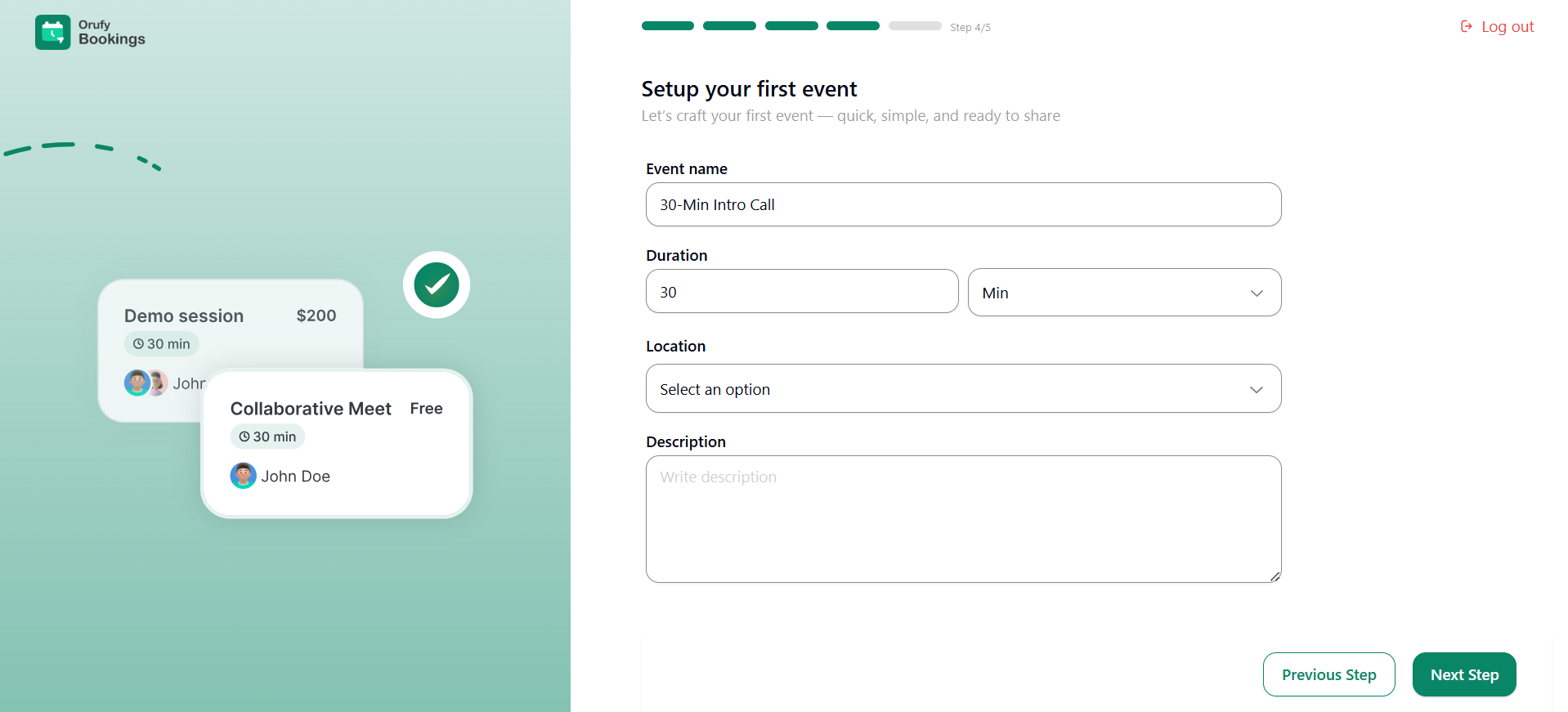
Now, you have to create your first event in Orufy Bookings. It will include details such as the name of the event, the location, and more. Let’s set up your first booking event for clients.
-
Event Name: Enter the name or title of your event.
-
Duration: Enter the time the event will last.
-
Location: You can select the place where the event will take place. It includes web conference platforms, other custom locations or ask the attendee.
-
Description: A brief description of the event helps clients to get an idea of what the event is all about.
Step 5: Style Your Booking Page
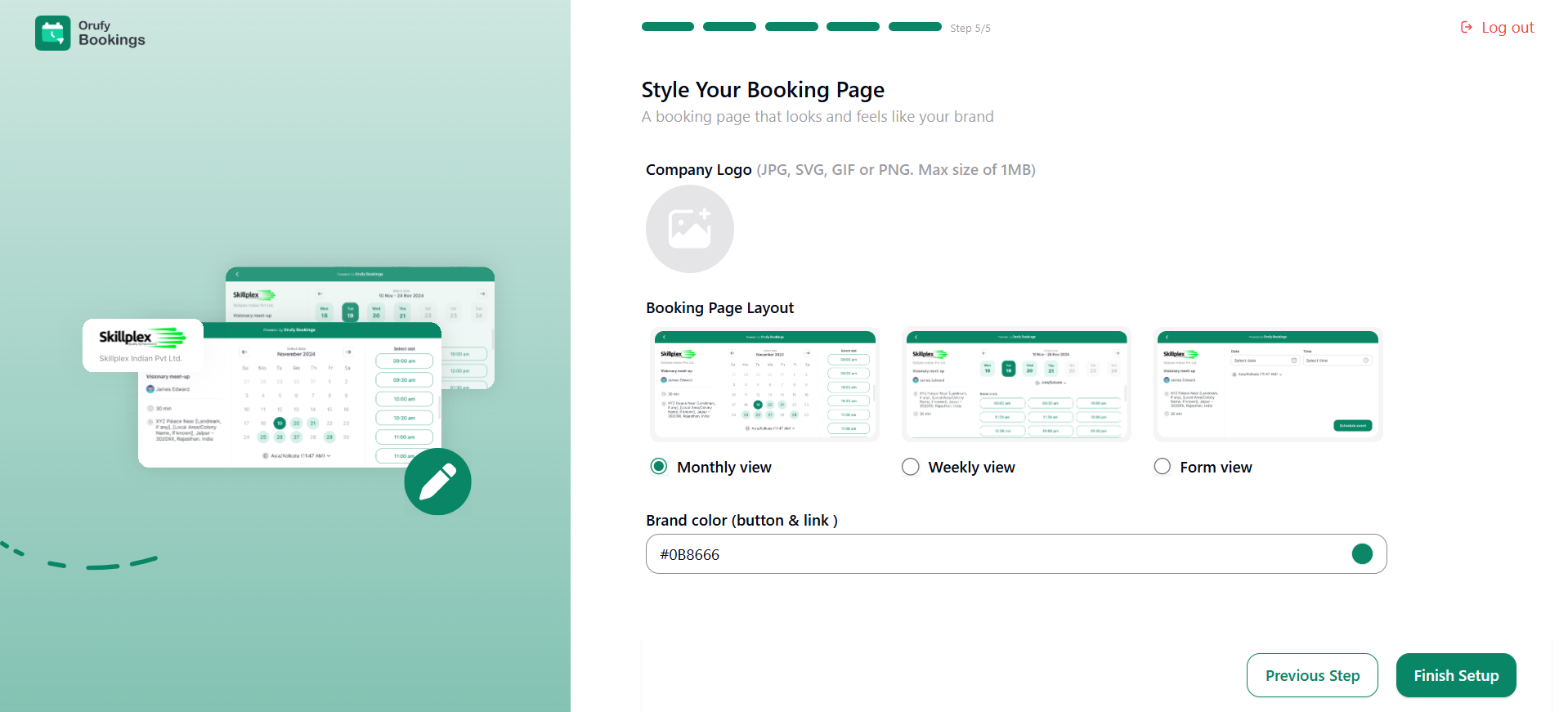
You have to customize the visual appearance of your bookings page, reflecting your business.
-
Company Logo: You have to upload the logo of your business or company in JPG, SVG, GIF, and PNG file formats. Keep in mind that the size of your logo should not exceed 1MB.
-
Booking Page Layout: You have to select the layout of your booking page. It includes three layouts: Monthly, Weekly, and Form view.
-
Brand Color: You can use the color of your brand as the color of buttons and links.
In today’s digital world, an online booking platform plays an important role in helping businesses manage appointments or meetings effectively. Orufy Bookings is a modern and hassle-free platform designed to streamline the scheduling for businesses and their clients.
You can establish a fully functional online booking platform by following the above steps without any technical skills. Orufy Bookings reduces manual work, saves time, and minimizes errors with its customization options, real-time syncing, and automation features.
Whether you have a business in healthcare, education, consultation, or finance, Ourfy Bookings simplifies operations and enhances the client booking experience. It helps businesses to focus on delivering value to their clients while the platform manages the schedule effectively in the background.
Similar Blogs


