
The Sprint History section enables a user to look through previous sprints and see the work completed or unfinished in each sprint. This assists the teams to examine progress, determine bottlenecks, and keep transparency between sprint cycles.
- Accessing Sprint History
- Go to Sprint History from the More Options. The sprint history will be shown in case of Scrum Project.
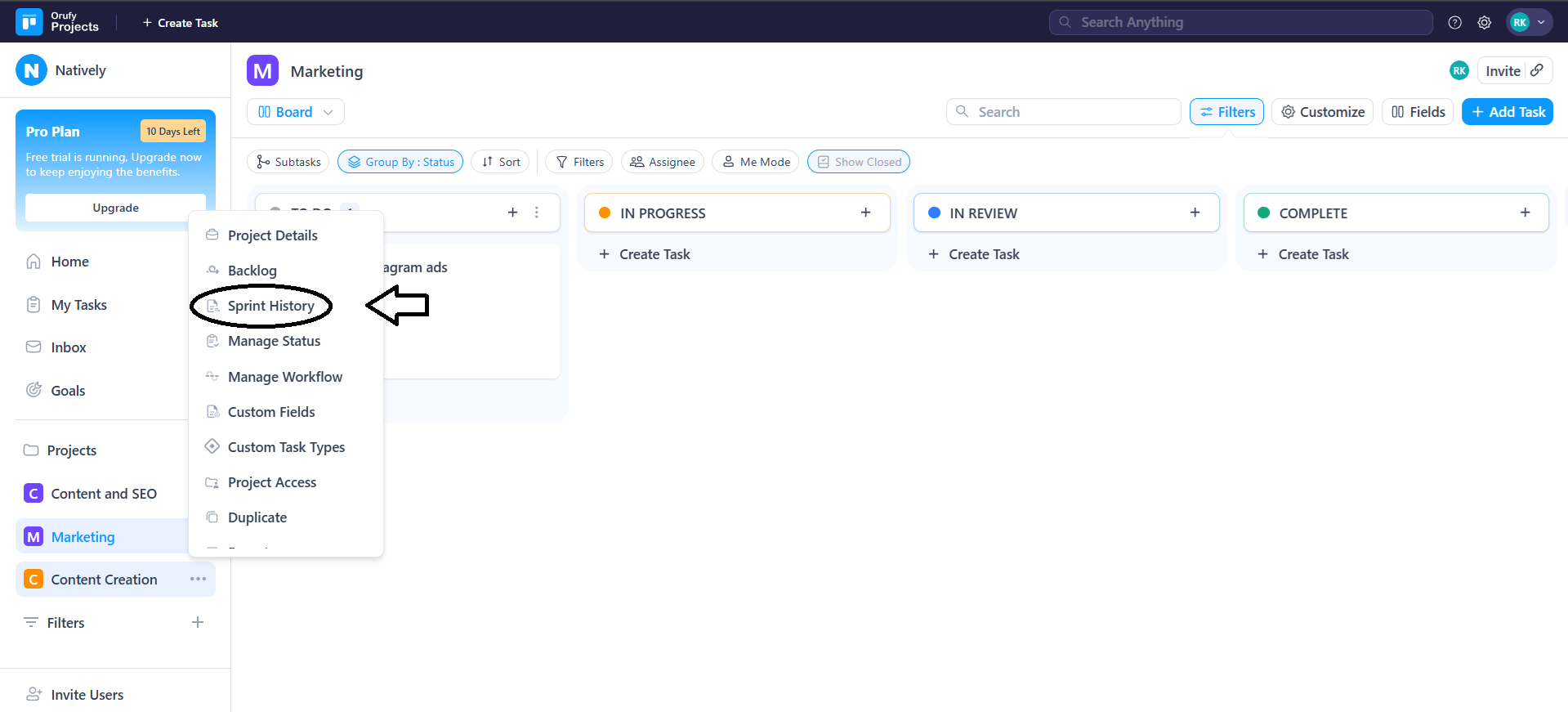
- The latest sprint is by default chosen.
- Sprint Selection
- On the dropdown menu of Sprints, choose a particular sprint.
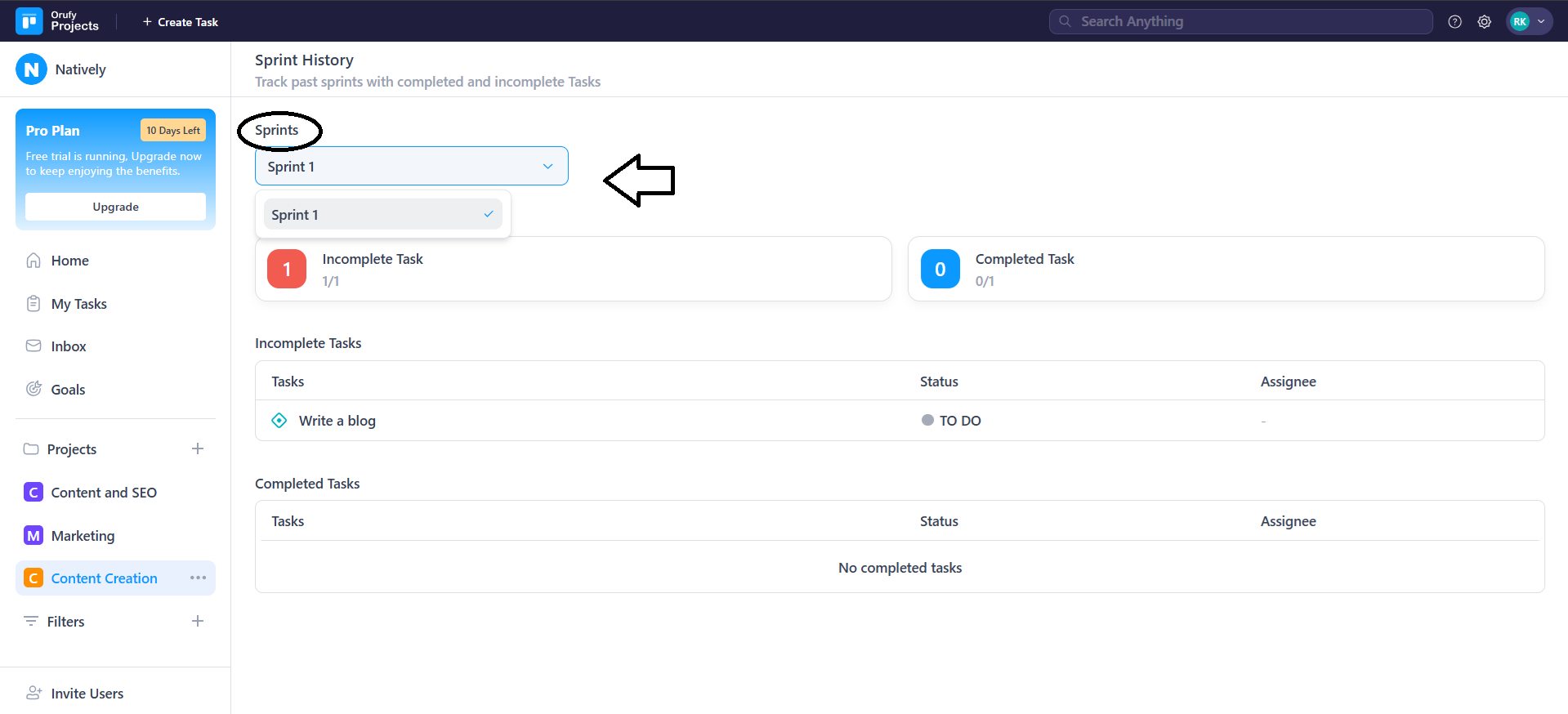
- In every sprint, the starting date and the finishing date are indicated so that they can be easily referred to.
- Sprint Overview
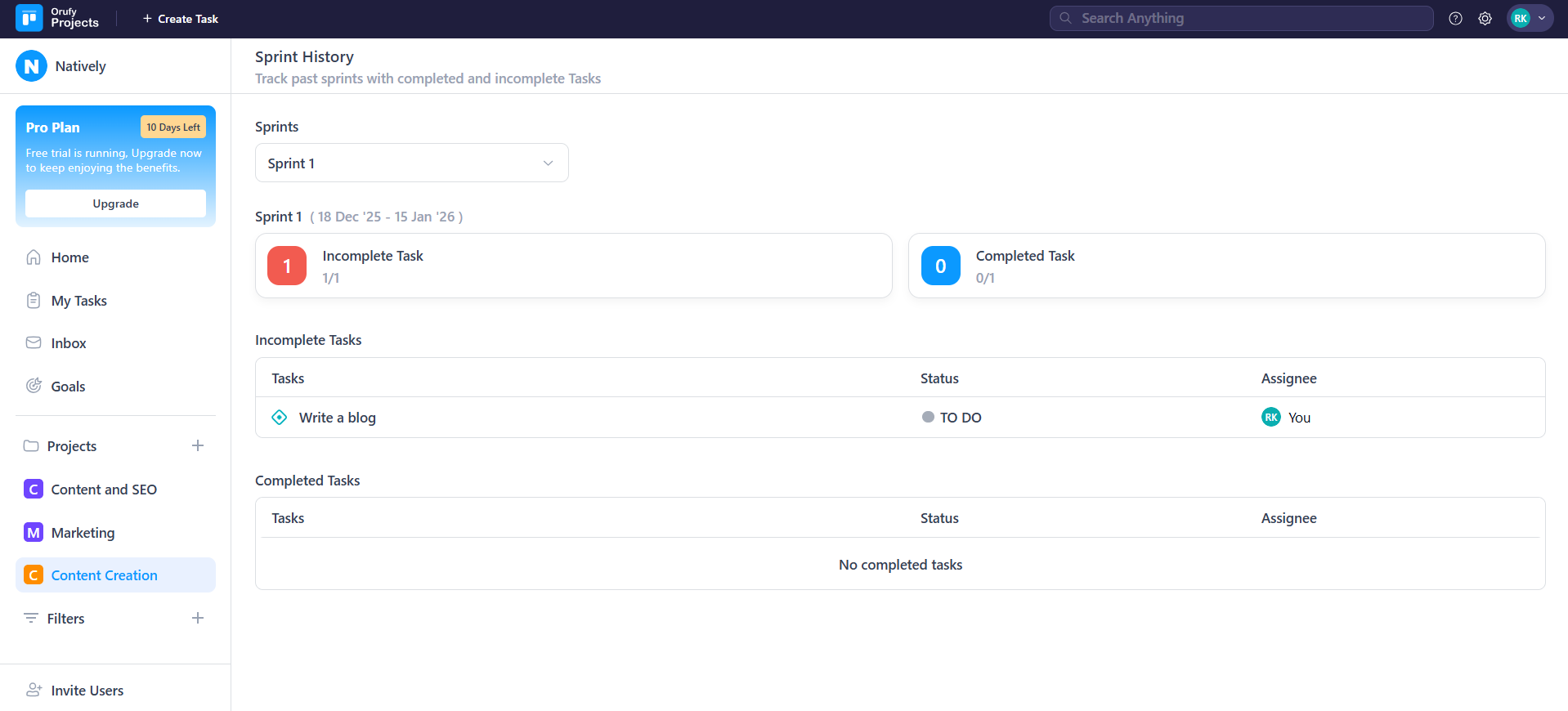
In the chosen sprint, a summary will be presented in the top:
- Incomplete Tasks: Displays the amount of tasks that were not done at the end of the sprint.
- Completed Tasks: This indicates the amount of tasks that were done during the period of the sprint.
- Each card displays:
1. Task count
Table of what has been done and what has not been done.
2. Incomplete Tasks Section
This section contains a list of all tasks that were not done during the sprint. The following is displayed regarding each task: - Task Name
- Status
- Assignee
3. Completed Tasks Section
In this section, all tasks which were performed in the sprint are enumerated. The following information is presented with respect to each task:
- Task Name
- Final Status
- Assignee
In case no tasks are completed during the sprint, the message No completed tasks appears.


