
Google Analytics
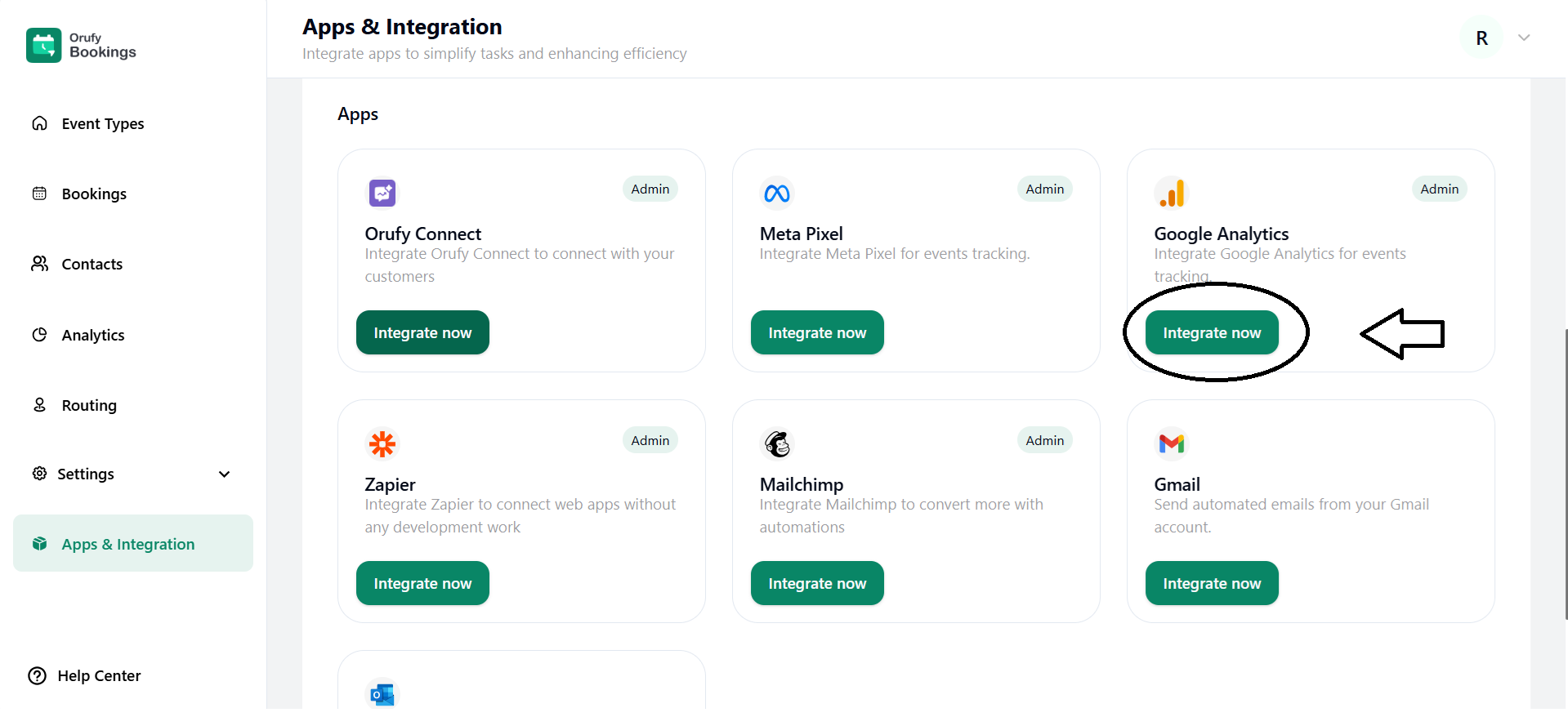
1. Click on Integrate Now.
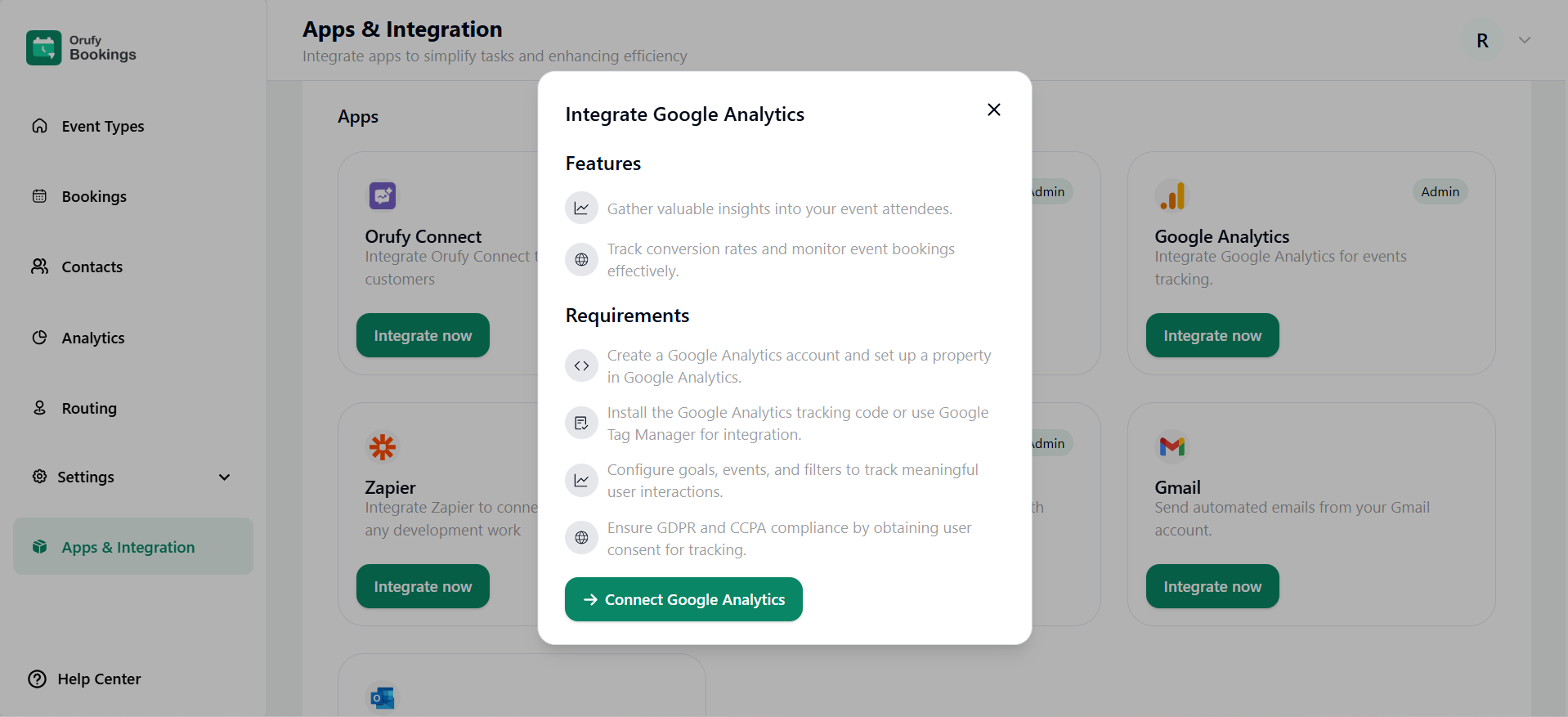
2. Read the features and requirements of Google Analytics.
3. Now, click on Connect.
4. Enter the Google Analytics ID.
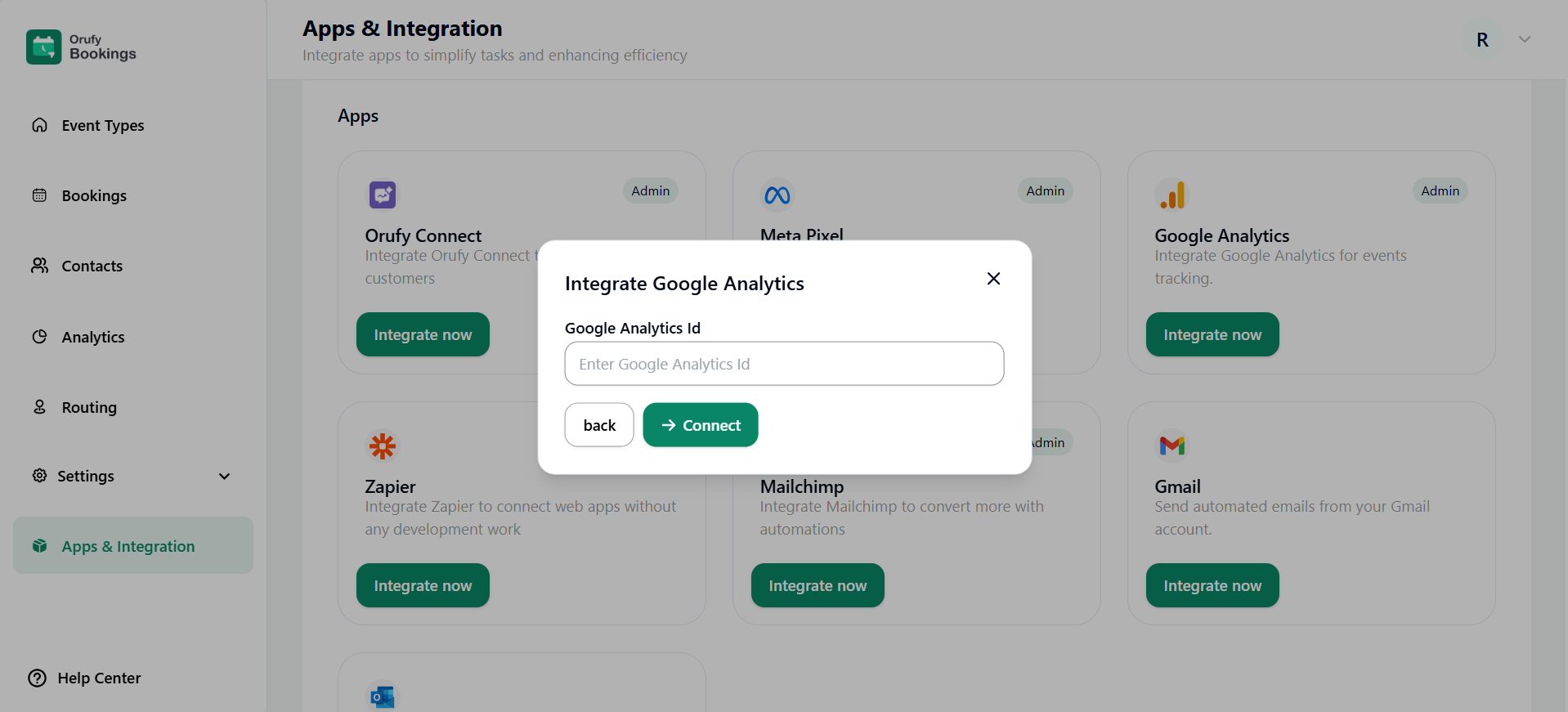
5. Click on Connect.
Listed below is the list of UTM parameters.
| Event Name | Event Label | Description |
| ALL_EVENTS_PAGE | All Events Page | When a user lands on the main booking events page, where all the events are listed. |
| Select_date | Date Selection | When the user selects the date. |
| Select_time | Time Slot Selection | When the user selects the time. |
| VIEW_BOOKING_DETAILS_PAGE | Enter Booking details | When the user selects the time and date and then clicks on next, it will redirect to the Fill Details page. |
| View_thank_you_page | Attendee Viewed Booking Thank You Page | The user will be redirected after filling in the details Event scheduled page successfully. |
| Verify_email | Verify Email Before Booking | When the admin enables this email verification option from the admin side before scheduling the event. |
| Clicked_reschedule_button | Attendee Clicked the Reschedule Button | When the email is sent to the user for the successful event schedule, and clicks on the reschedule button. |
| View_thank_you_page | Attendee Viewed Booking Thank You Page | When the user rescheduled the event again. |
| view_cancel_event_page | - | When the user wants to cancel the scheduled event. |
| View_routing_form | Attendee Viewed the Routing Form | The routing form appears as the user clicks on the link. |
| Submit_routing_form | Attendee Submitted the Routing Form | The user has submitted the routing form. |
| Submit_routing_form_success | Attendee Successfully Submitted the Routing Form | The routing form submitted by the user has been successfully submitted. |


