
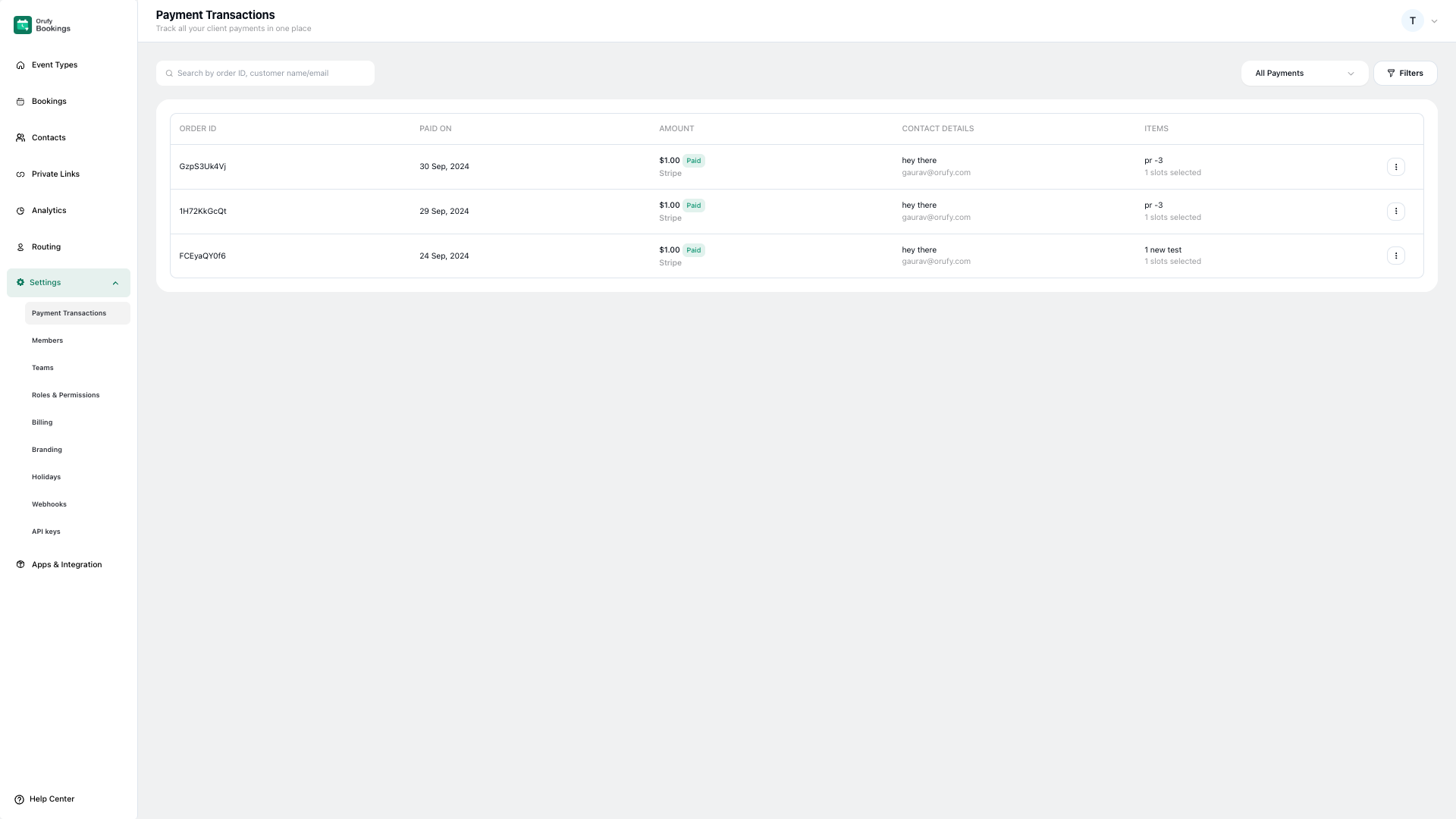
It allows you to view and manage all payments in one place. It provides an organized record of transactions, payments, and other information.
1. Search
You search all the transactions through Order ID, customer name, and email. It quickly finds a particular transaction through the search bar.
2. Payment Filters
It narrows down transactions based on selected criteria such as payment status, date range, and bookings created.
-
All Payments: As you click on this filter, a list of all the payments will be displayed. By default all payments are selected as a filter.
-
Pending Payments: All the pending payments will be displayed by selecting this as a filter.
-
Completed Payments: All the completed payments list will be displayed by selecting this as a filter.
-
You can add advanced filters from the Filter icon. You can add filters based on the booking created, payment done, and payment mode.


