
A Collective event type involves multiple hosts interacting with a single attendee, making it ideal for panel discussions or collaborative presentations where different experts share responsibilities.
How to Create a Collective Event?
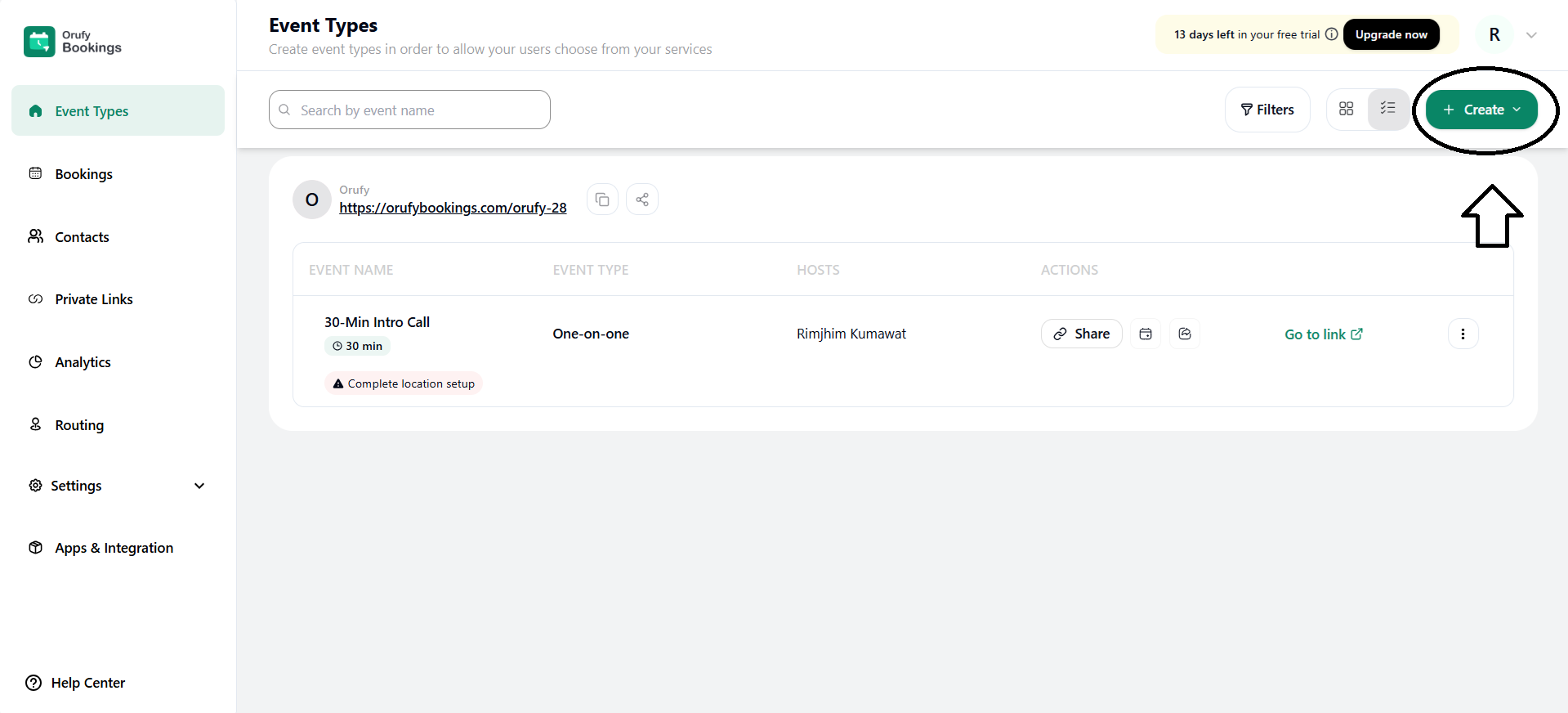
Step 1: Click on + Create.
You must click the Create button to initiate the event type creation process.
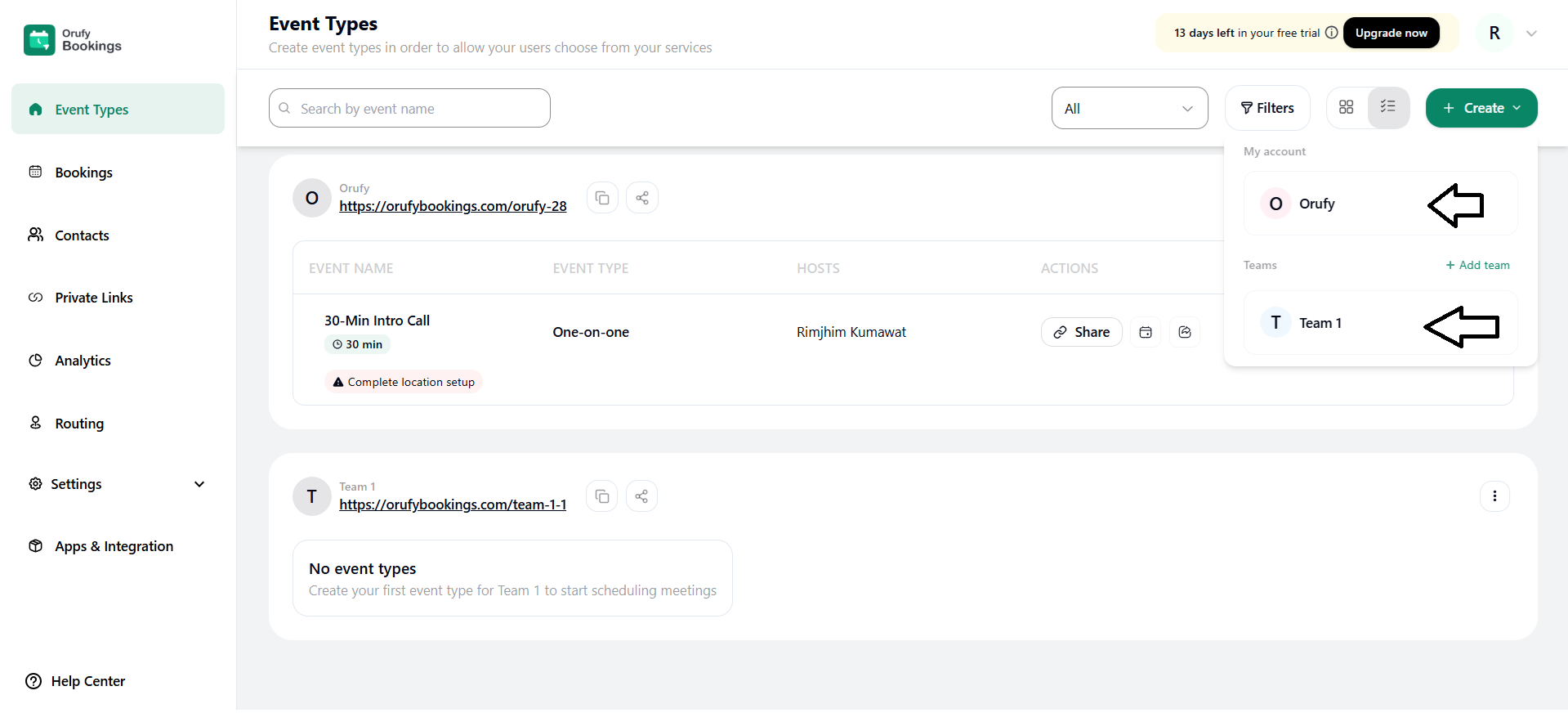
Step 2: Select Account or Teams
You have to select the account or team for which you want to create an event.
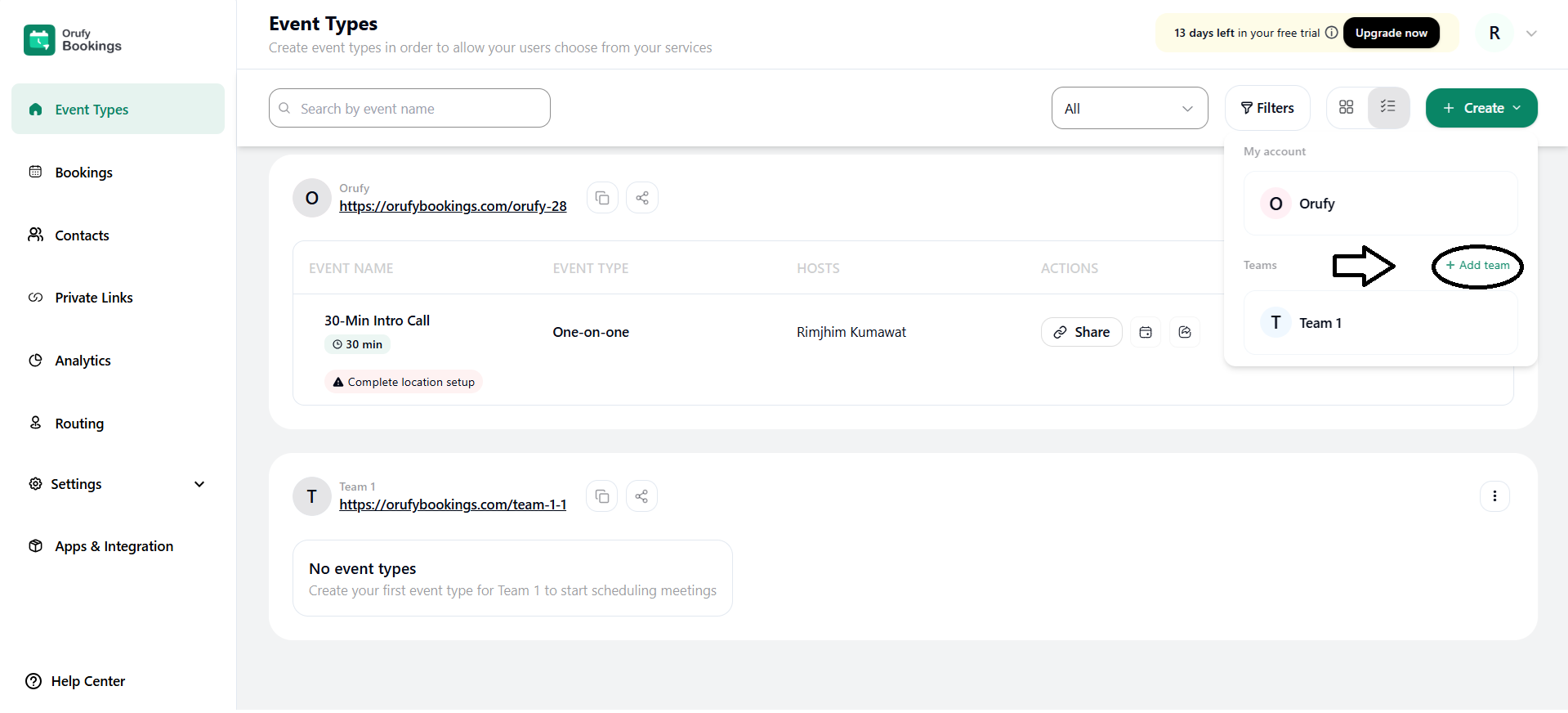
You can also create a team from the + Add Team button.
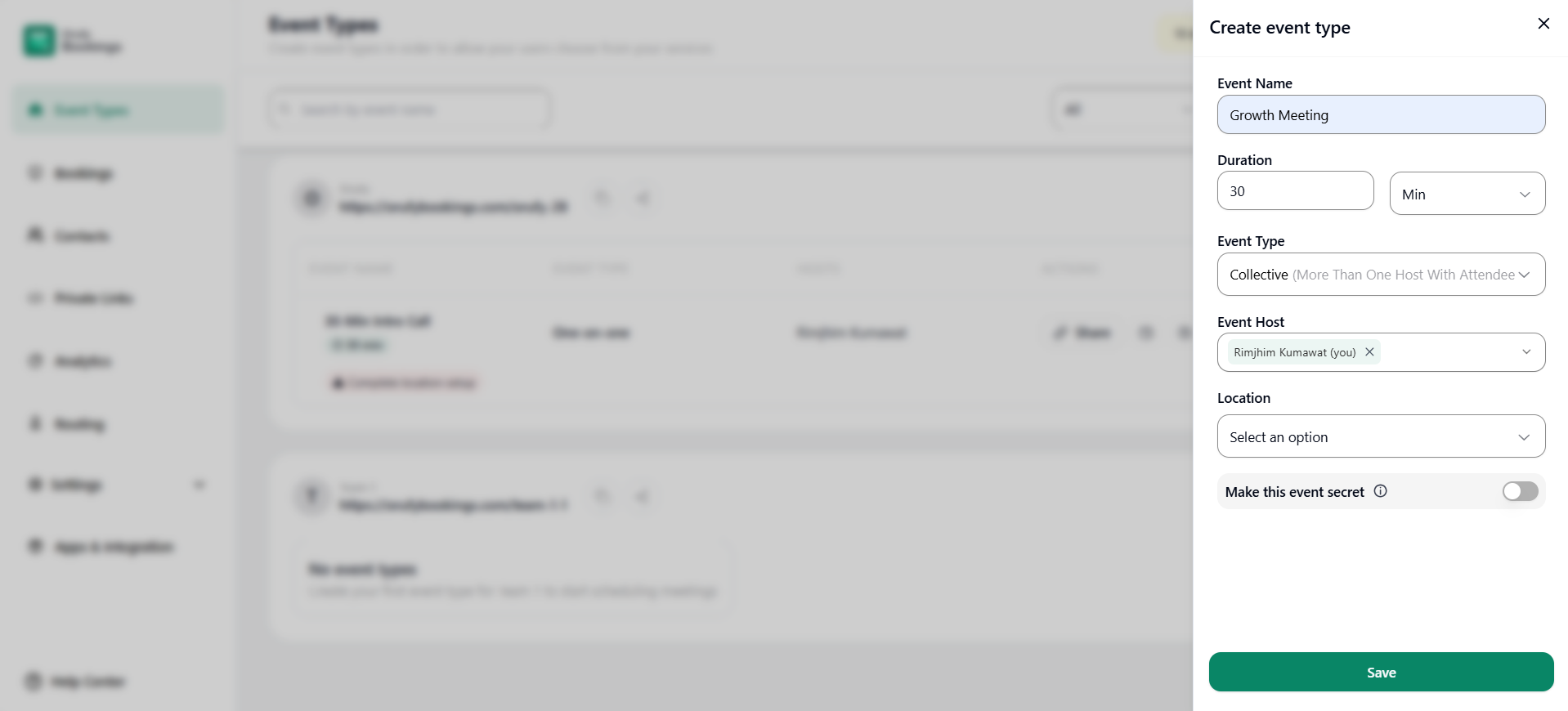
Step 3: Enter Event Details
Enter all the details for the event to be created. It includes name, hosts, members, etc.
-
Event Name: Enter the name of the event you want to create.
-
Duration: Set how long the event will last. Enter the duration of the event.
-
Event Type: Select the type of the event as Collective.
-
Event Host: Select the host from the drop-down menu who will host the event. You have to select multiple hosts who will conduct the event.
-
Location: Select from the drop-down where the event will take place. It includes web conferences and other platforms where the event can be conducted.
Step 4: Optional Setting
Make this event Secret: Enable this option to hide this event from the public listing of all the events.
Step 5: Save the Event.
Click on Save to save the event created.


