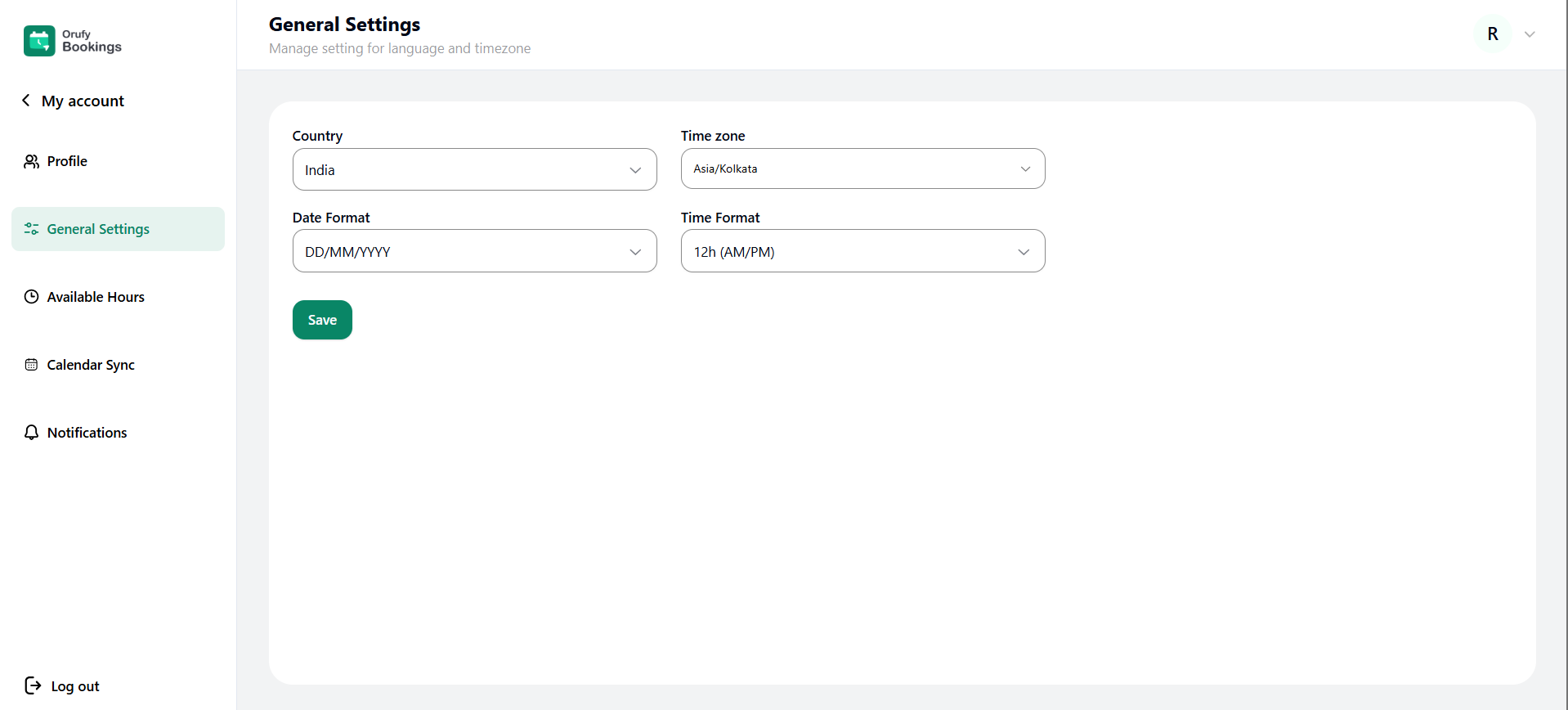
The General Settings allow you to manage location and time zone preferences. This setting ensures bookings and notifications are displayed correctly.
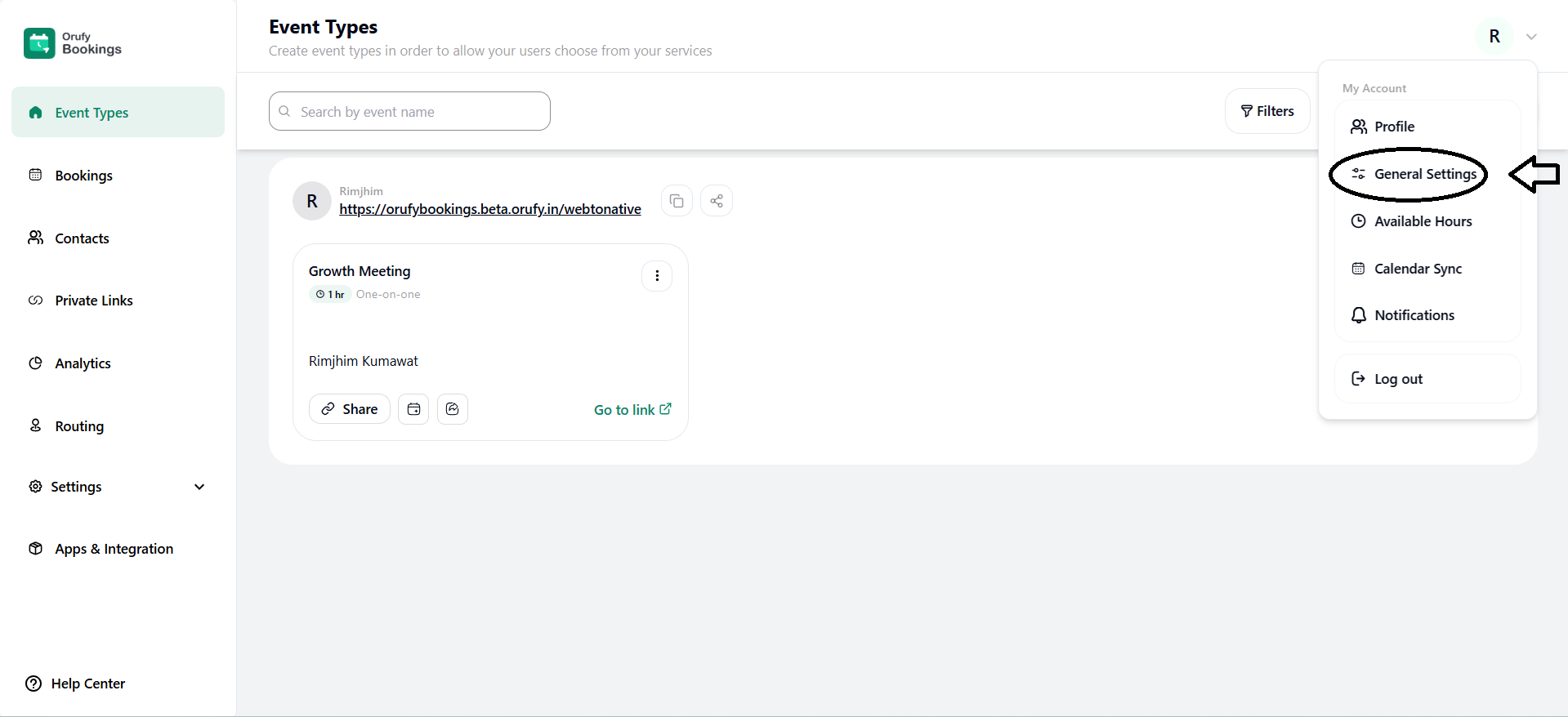
1. Country
Select the country from the drop-down menu where you are located.
2. Time Zone
Select the time zone from the drop-down menu to correctly display the events.
3. Date Format
Select the date formats from the drop-down menu to display the dates correctly for the events.
4. Time Format
Select the time format from the drop-down menu to display the time correctly for the events.