logo
  • pricing
  • solutions
  • Features
  • What's New
  • Getting started with Bookings
  • Your first Event Setup
  • Customize Event Type
    • Event Info
    • Schedules
      • Available Hours
      • Event Limits
      • Additional Settings
    • Members
    • Booking Info
    • Notifications
    • Appearance
    • Additional Preference
  • Bookings
  • Contacts
  • Apps & Integration
    • Payments
    • Apps
      • Orufy Connect
      • Meta Pixel
      • Google Analytics
      • Zapier
      • Mailchimp
      • Gmail
      • Outlook
    • Video Conference
  • Settings
    • Members
    • Roles & Permissions
    • Branding
    • Holidays
    • Webhooks
    • API Keys
    • Teams
  • Routing
  • Embed In Your Website
    • Custom Button Trigger
    • Inline Embed
    • Pop-up Widget
    • Pop-up Text

On This Page

  • Mailchimp
Apps & Integration
Apps
Mailchimp

Mailchimp

1. Click on Integrate Now.
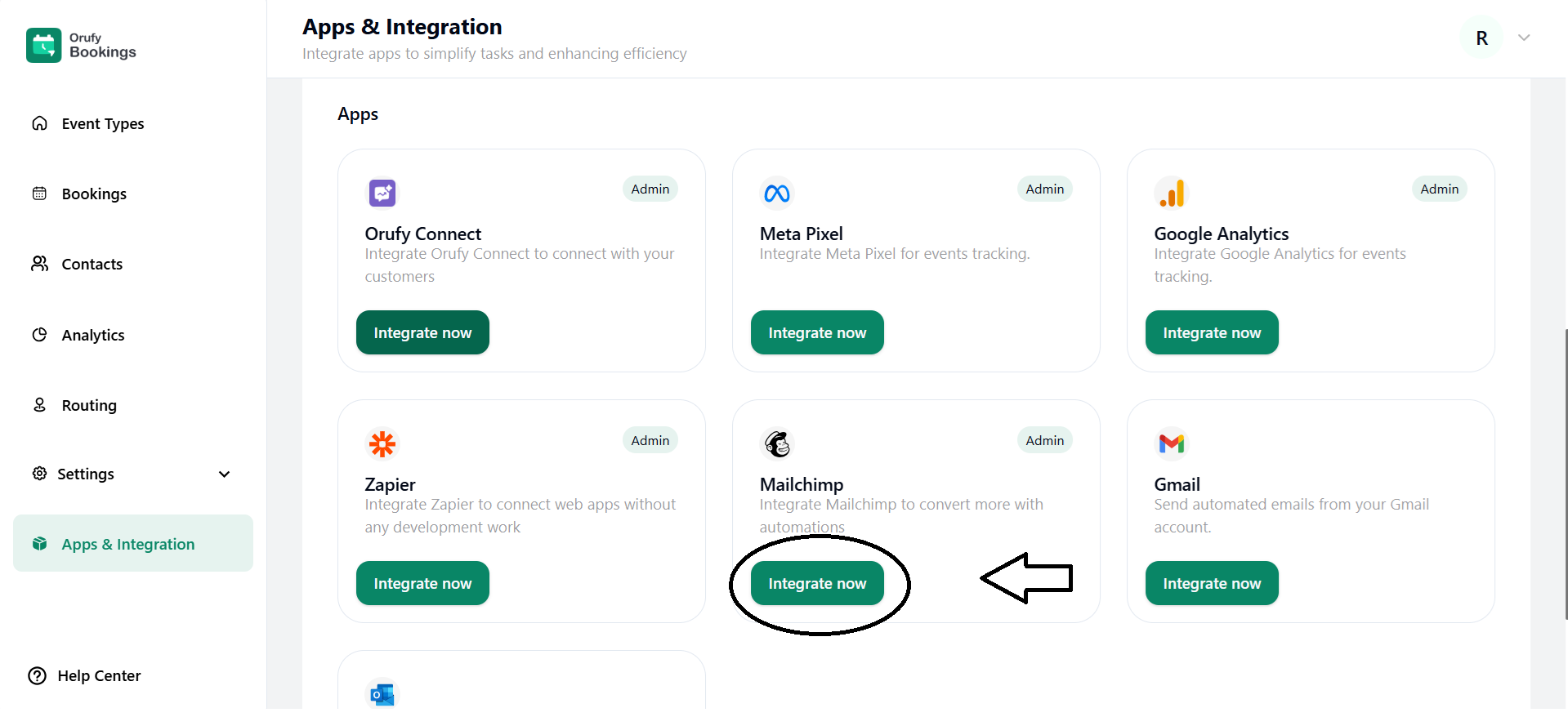
mailchimp integrate now.png


2. Read the features and requirements of Mailchimp.

3. Now, click on Connect Mailchimp.
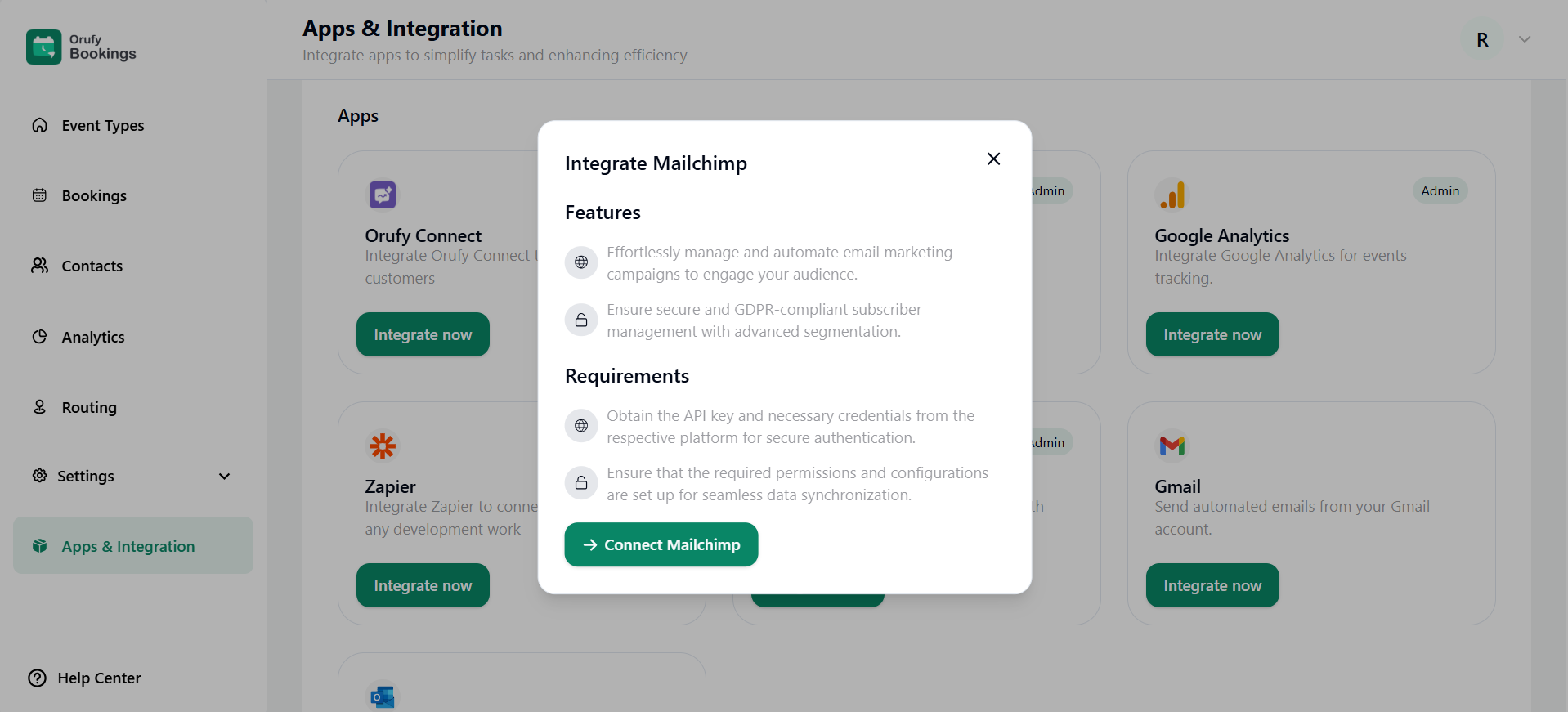
connect mailchimp.png

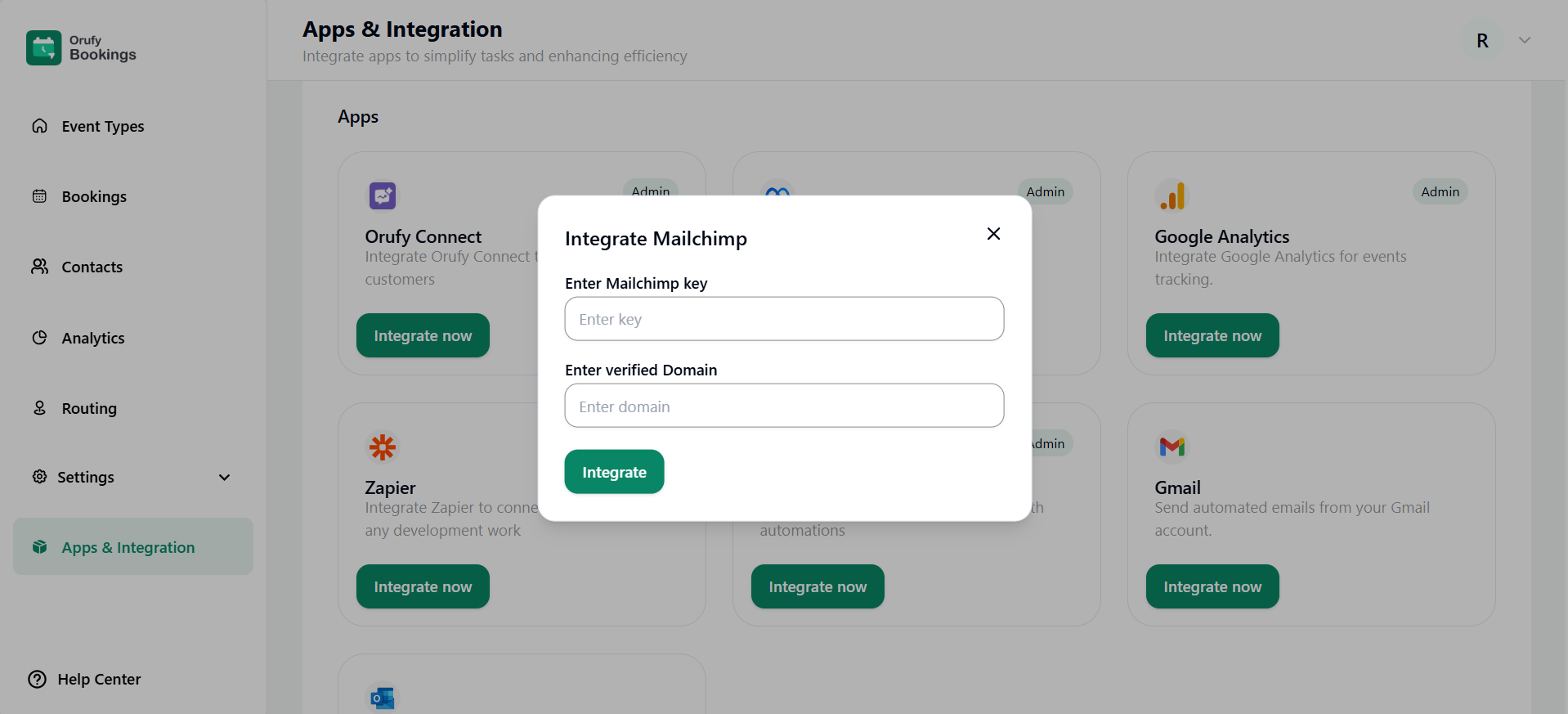
4. Enter Mailchimp key.

5. Enter a verified Mailchimp domain.

integrate mailchimp.png


After connecting Mailchimp, the emails sent to the attendees will be through the insured, verified Mailchimp domain.


ZapierGmail
companyLogo

Transforming your Digital Vision into Reality.

Company

Home

Careers

About Us

Contact Us

Terms

Privacy Policy

Refund Policy

Blog

Products

Webtonative

Orufy Connect

Orufy Bookings

Orufy Projects

Contact Information

icon

support@orufy.com

icon

+91-8591351048


media-icon
media-icon
media-icon
media-icon

â“’2025 Orufy Technologies All Rights Reserved.

products

logo
logo
logo
logo

company

more