
Available Hours settings allow members to define and manage their availability for events. The available hours will determine when clients can book an appointment with the selected member.
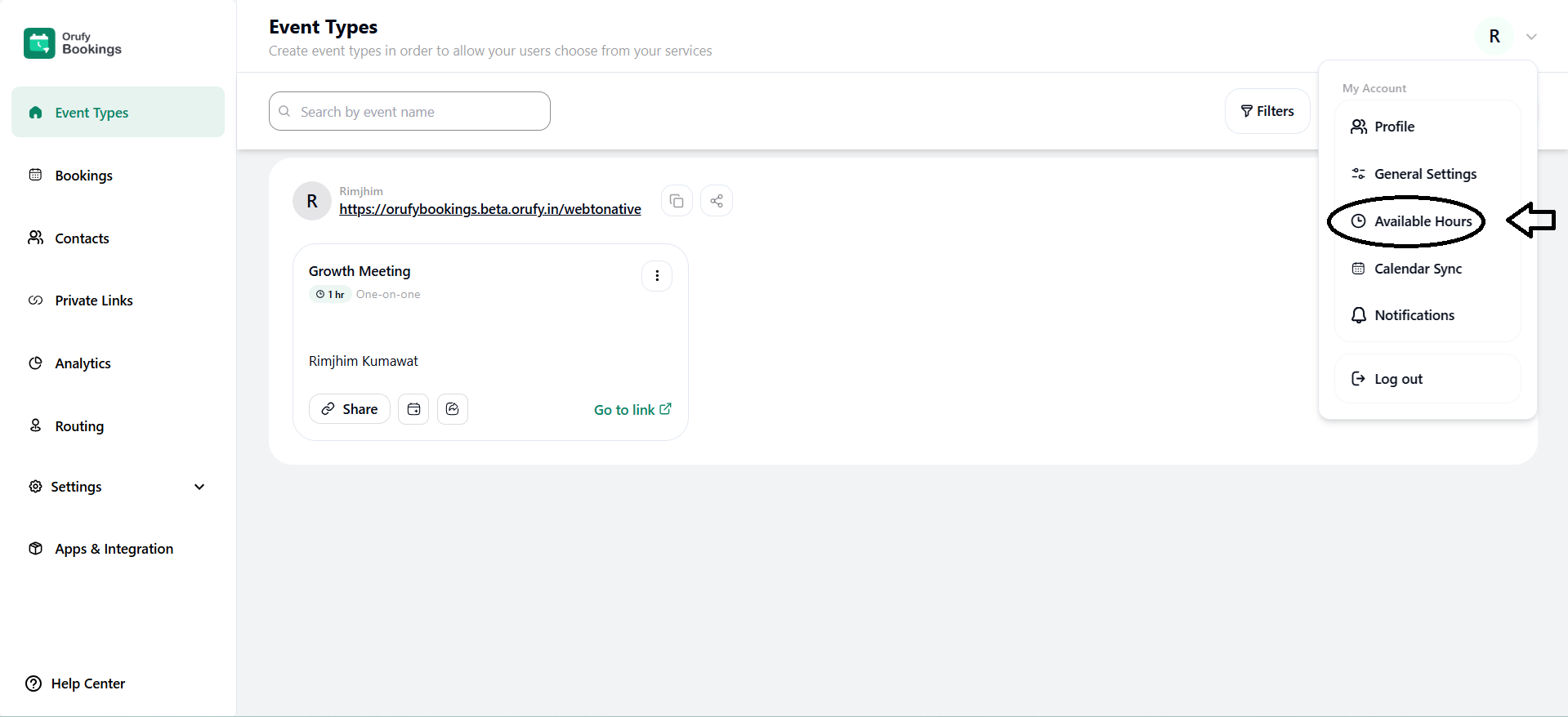
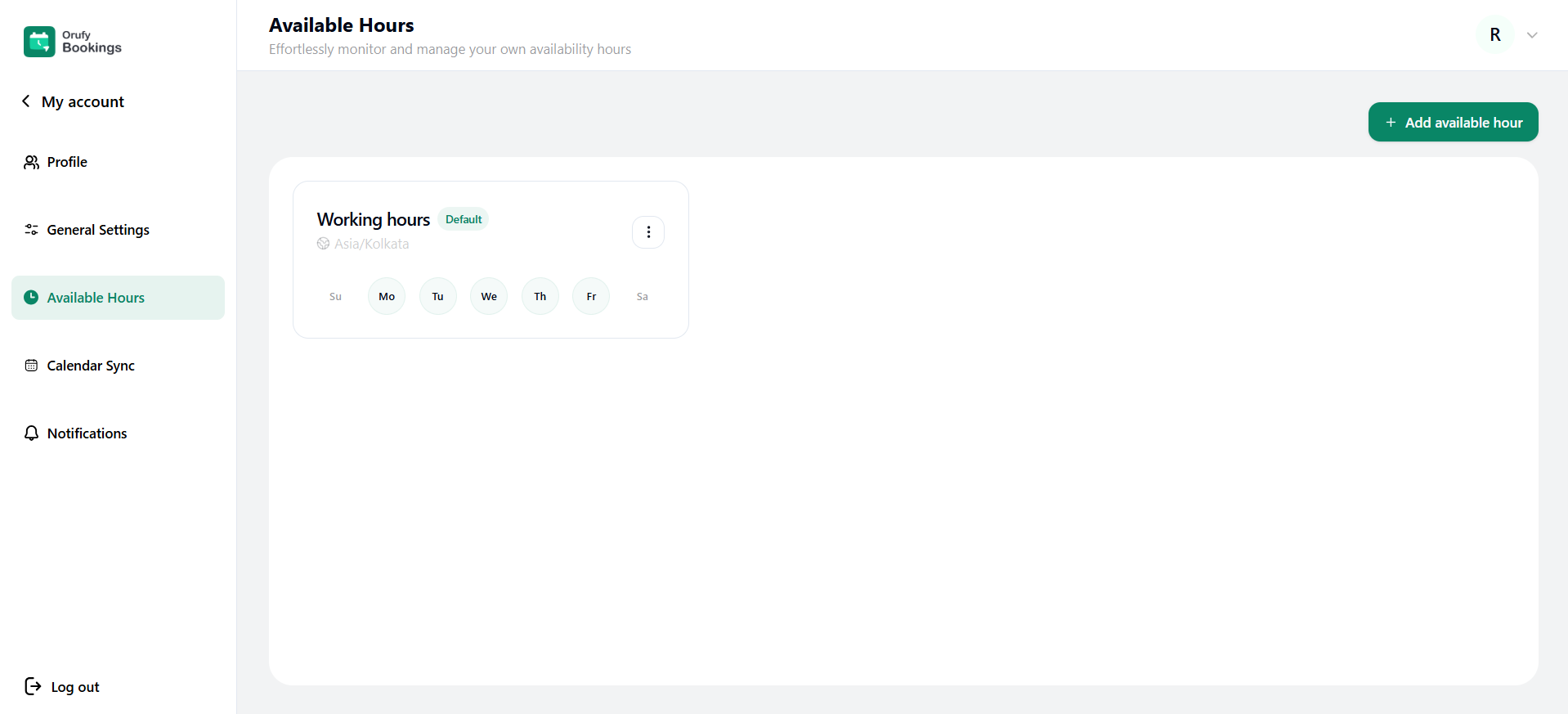
By default, working hours are created.
-
You can edit the default working hours using More Options.
-
You can also make a duplicate of the working hours.
-
You cannot delete it.
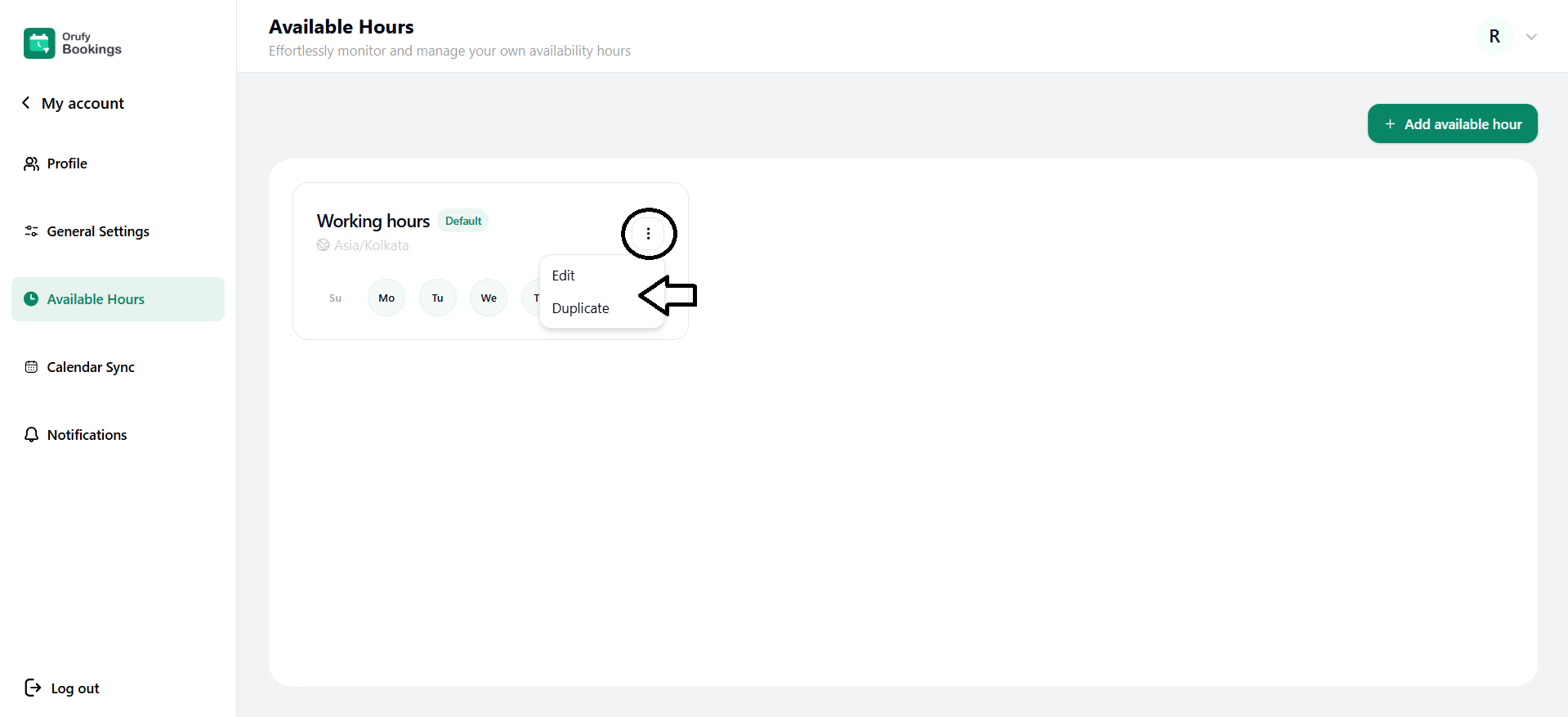
Create a New Available Hours
1. Click on + Add available hours.
2. Enter the name of the available hours. You can edit the name of the available hours from the icon.
- Time Zone
Select the time zone of the to show the availability of hours align with the correct regional time.
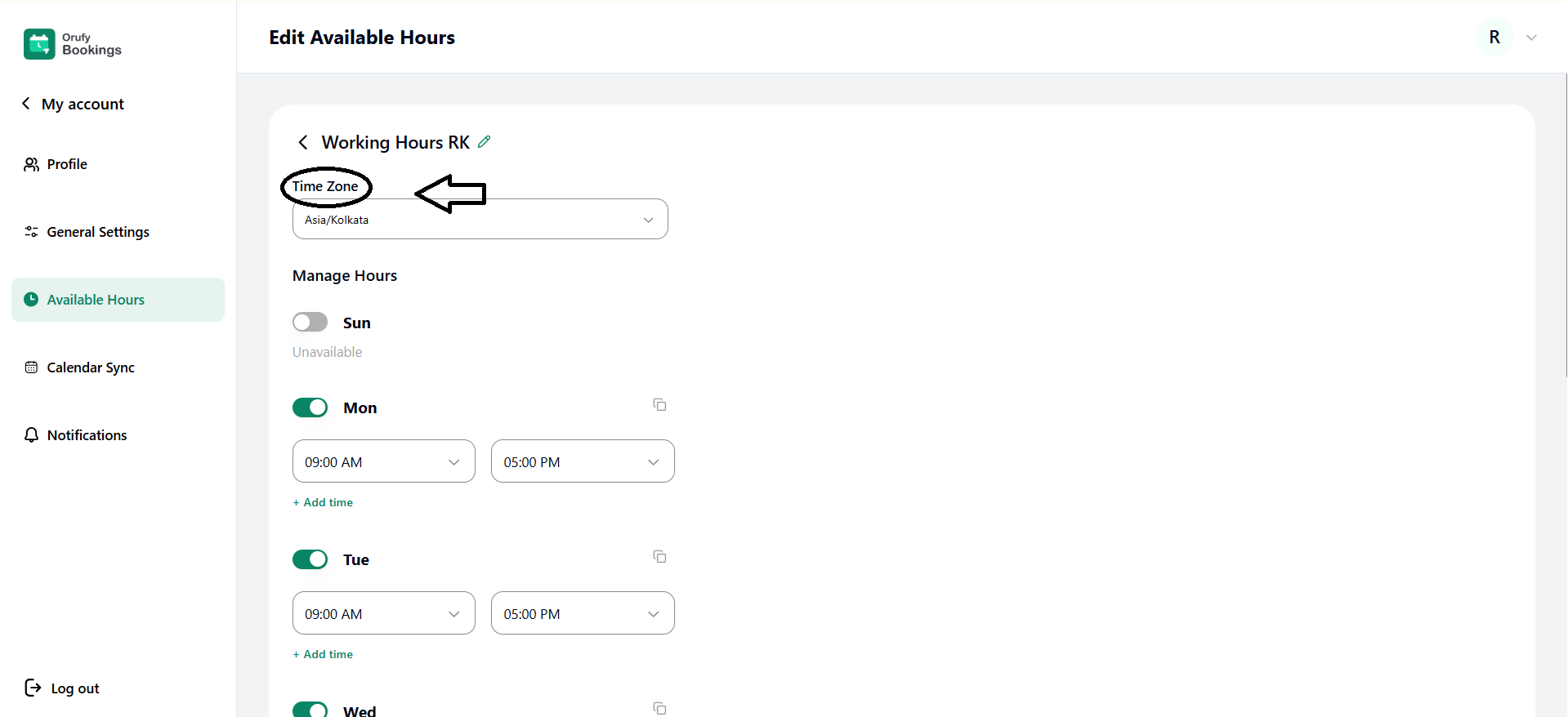
- Manage Hours
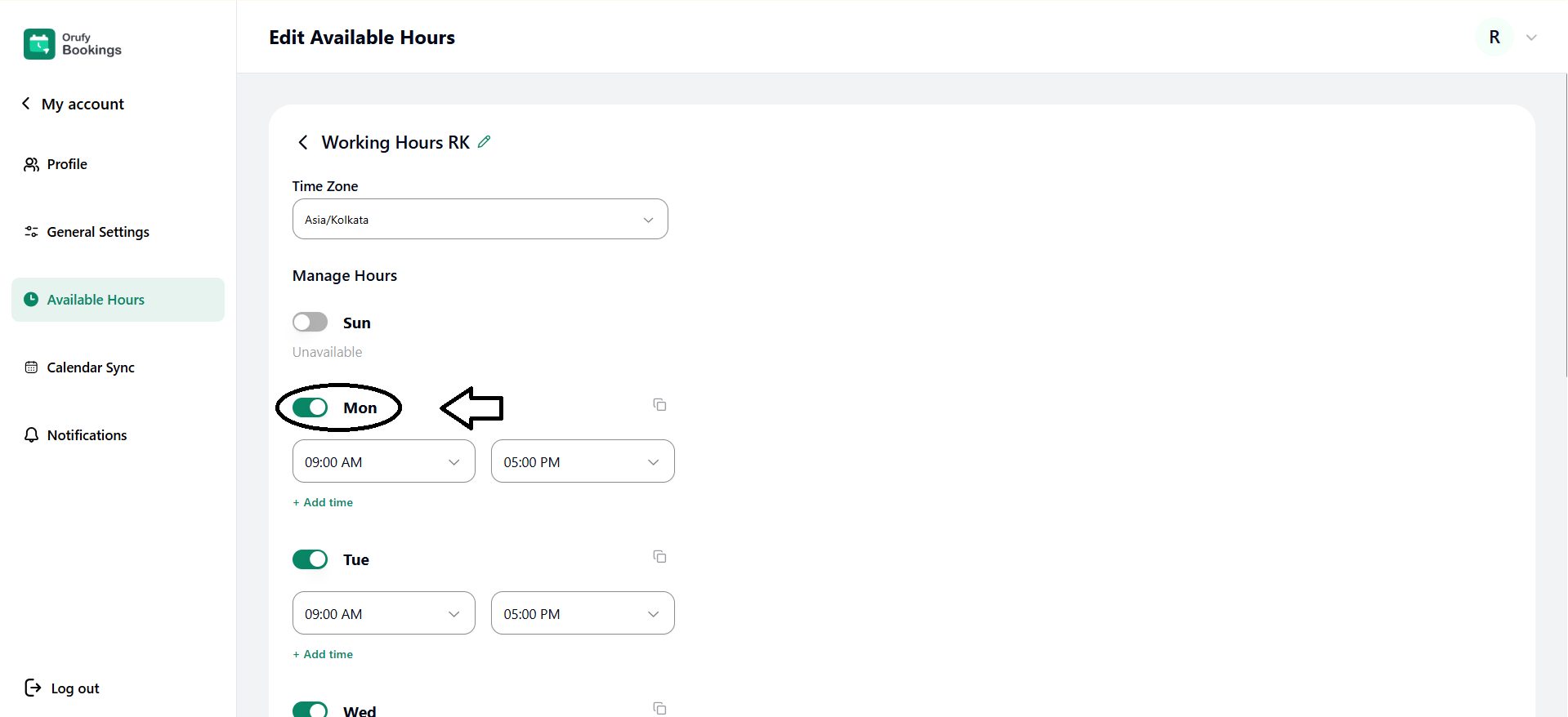
Members can select the specific days of the week when they are available.
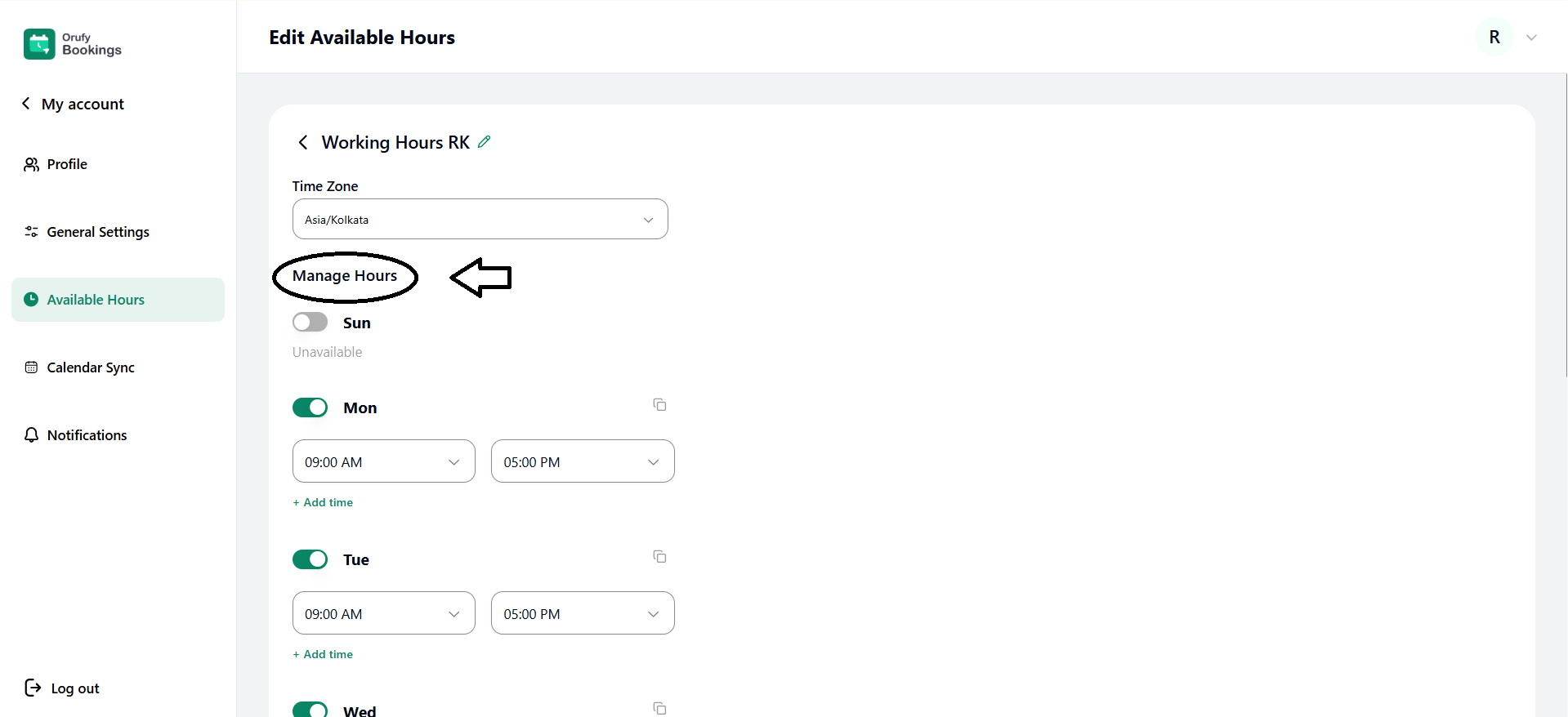
- You have to toggle on or off to show the availability for the days of the week.
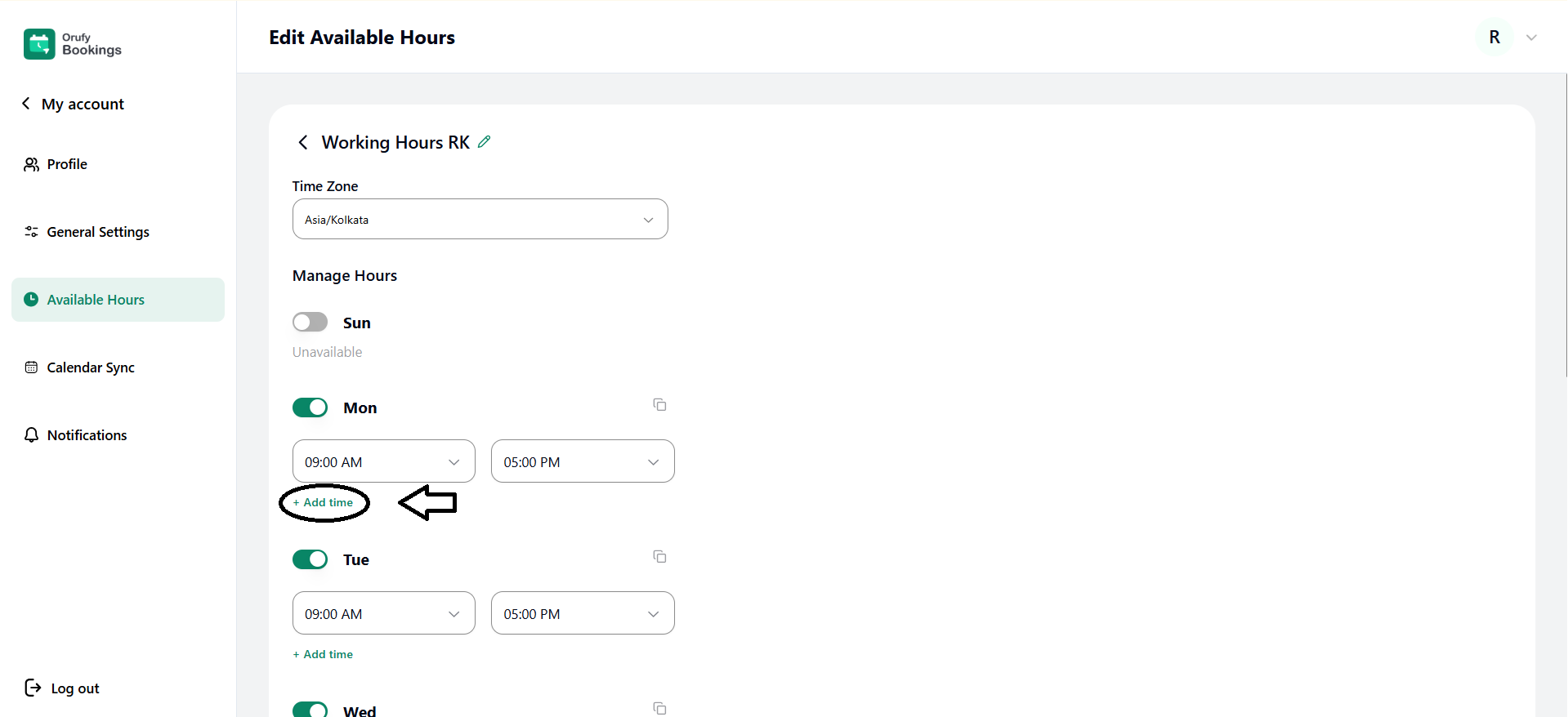
- You can add specific hours to a day of the week using Add time.
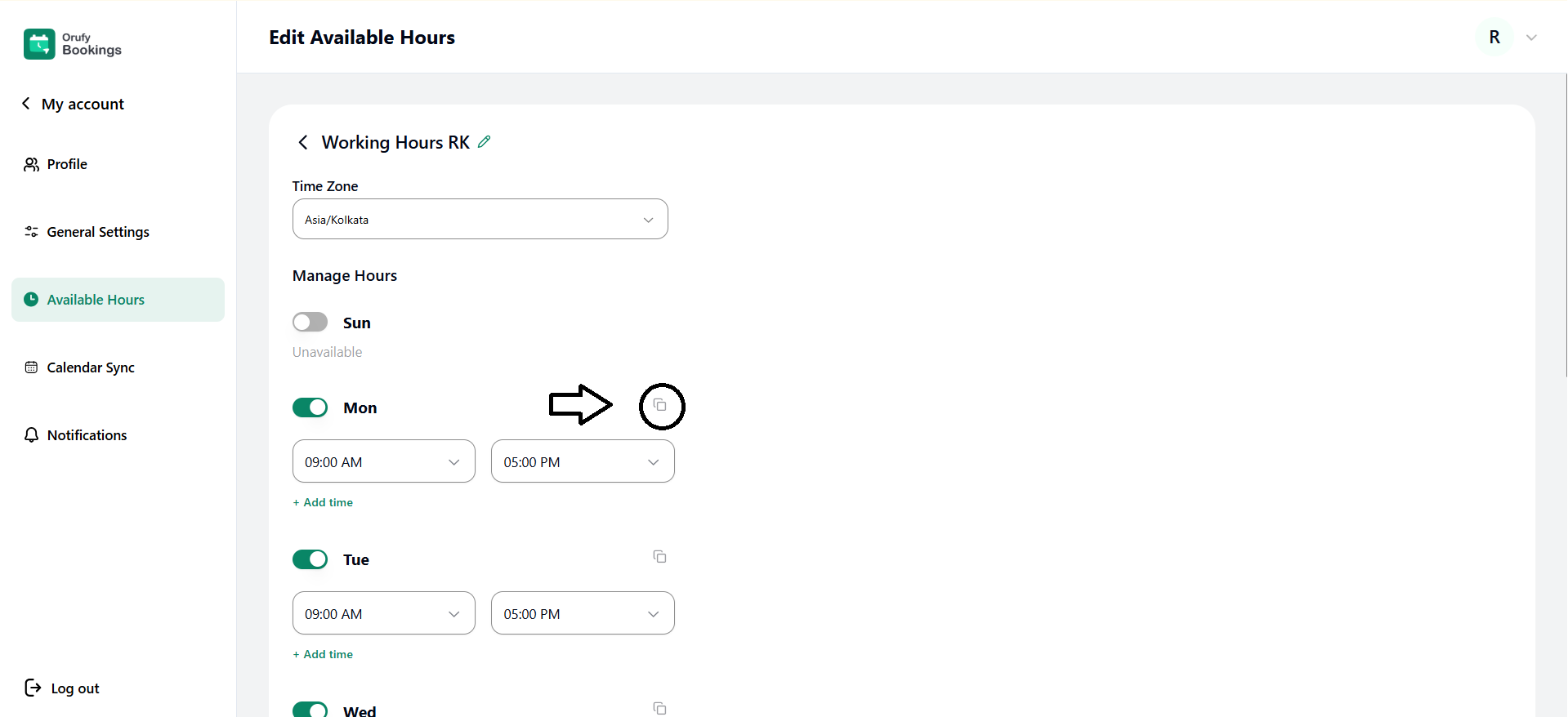
- You can copy the specific hours of a day to another day of the week using the Copy button.
- Date-specific hours
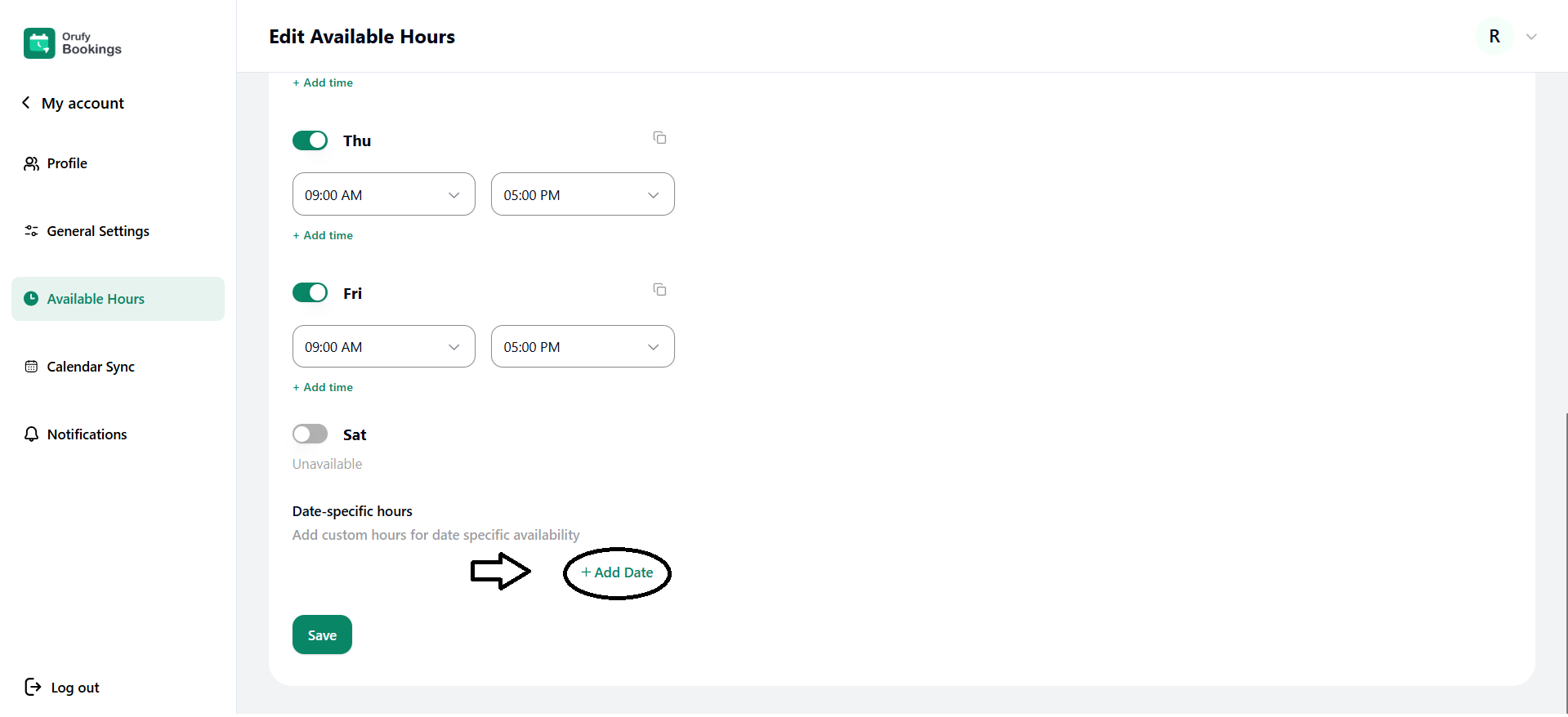
You can set availability for one particular date with specific working hours. You can add multiple date-specific hours at same time.
**- ** Click on +Add Date.
- Select the exact date you want to add availability for.
- Select the time slots for the date.
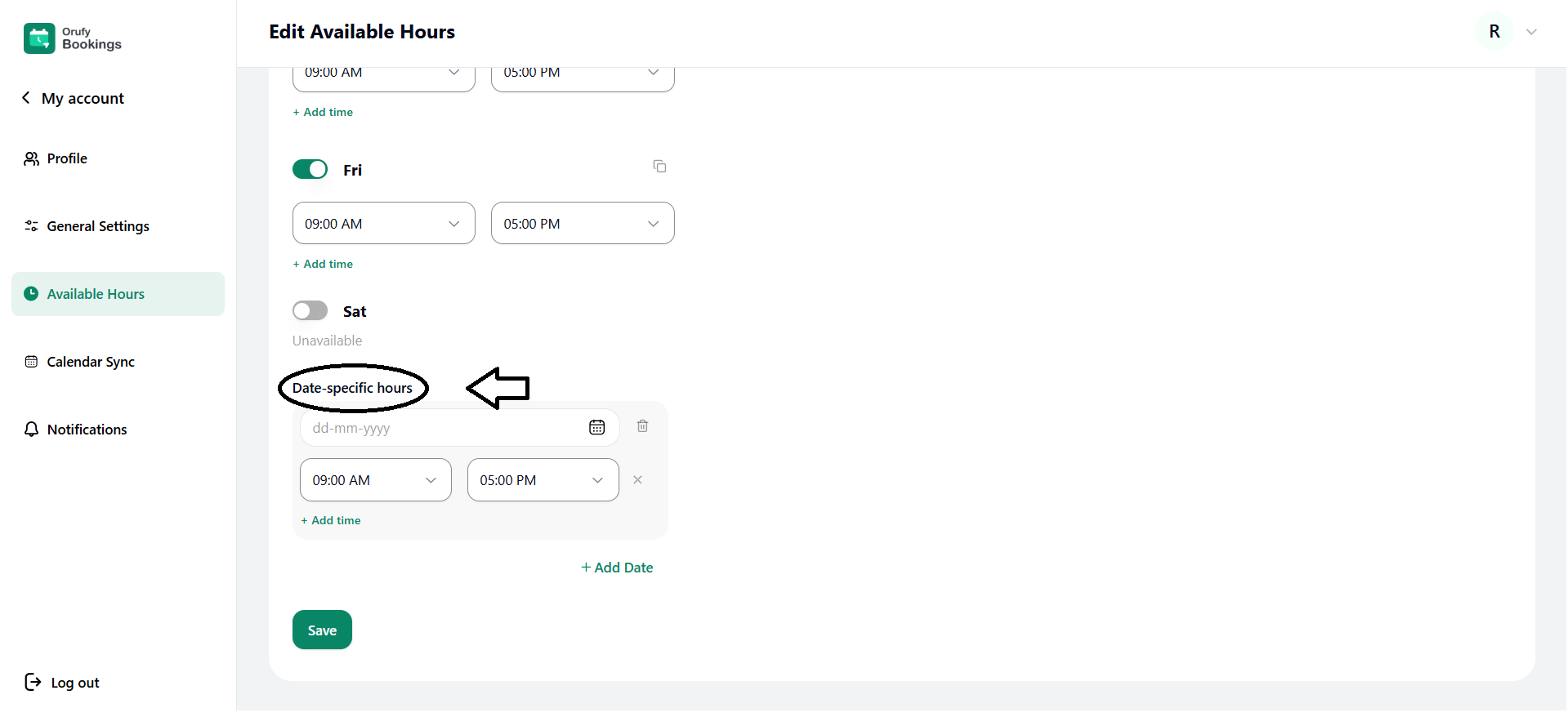
- You can add multiple time slots for the same date from + Add Time.
- You can also remove the hours for the date using the cross icon.
- You can delete the date from the trash icon.
Click on Save.
- By clicking the More options, you can:
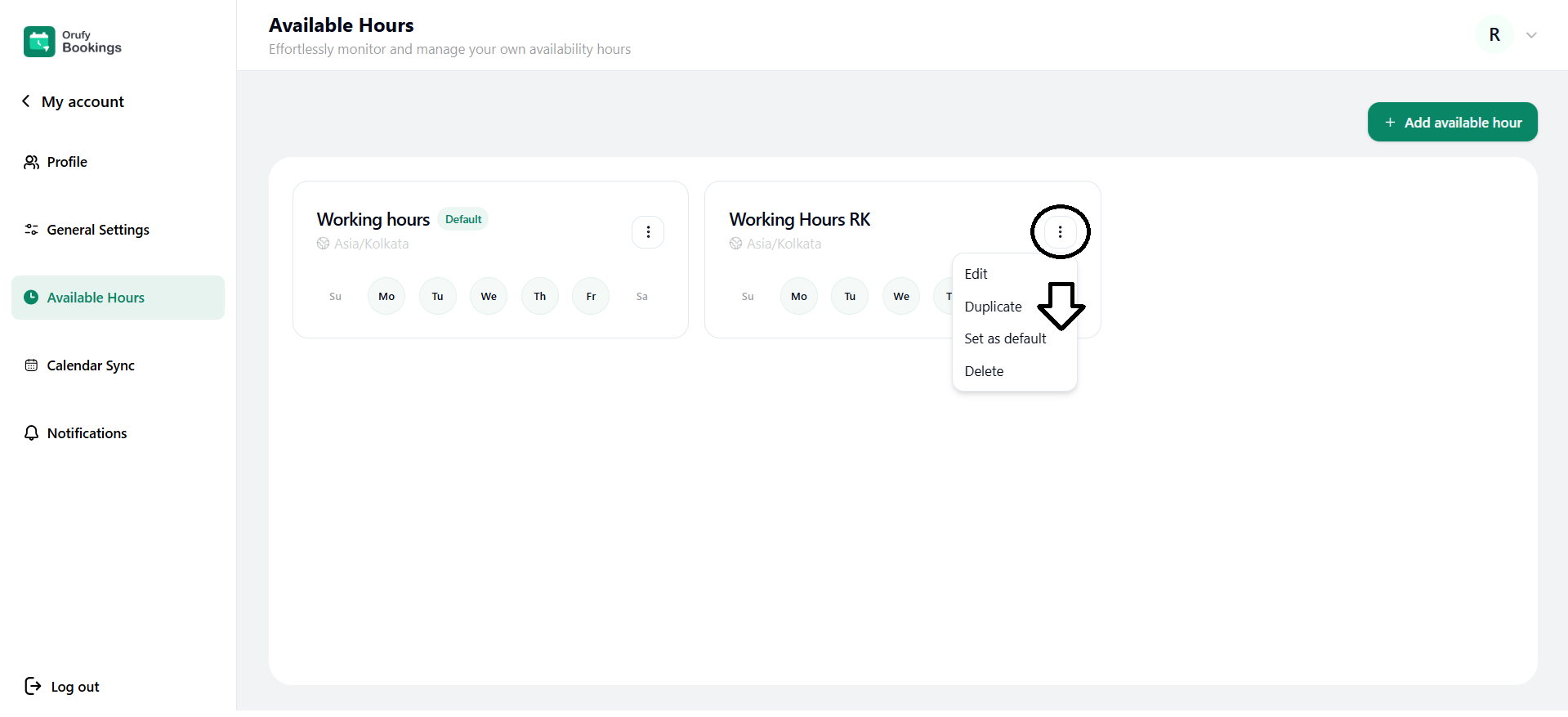
1. Edit
You can edit the time zone, name, and available hours.
2. Duplicate
With just one click you can create the same replic of the available hours you have chosen.
3. Set as default
The members can select from the created available hours for themselves to display in the events.
4. Delete
You can delete any available hours field whenever you want but it will not be restored again.


